Media Goal:
To create media for 3D artists where an AI assistant organizes solution searching and live interaction, enabling everyone to quickly find an answer—whether from a database or from another artist—and not be left alone with a challenge.
PolyFind: 1. Organizes the website—structures the database of solutions, tags, search functionality, and categories. 2. Organizes communication—connects people who ask questions with those who can provide answers. 3. Organizes content—transforms answers, questions, and tutorials into a structured knowledge base. This is not merely a «search engine + chat.» It is a facilitator that knows: who among the participants is currently online and available to help; which questions have already been answered and where the solutions are located; what topics are currently being discussed in the chats; what reviews are scheduled.
Subgoals:
1. Make finding solutions fast: The AI assistant finds answers in the database or connects you with someone who can help.
2. Build a vibrant community: Blitz questions, chats, and voice rooms—the AI assistant organizes the flow.
3. Inspire return visits: The AI assistant remembers what you searched for yesterday and suggests relevant topics for today.
4. Lower the barrier to entry: Newcomers aren’t afraid to ask—the AI assistant will guide you on how to phrase your question and find someone who can answer it.
How the AI Assistant Organizes the Site
The AI Assistant is the core of PolyFind. It doesn’t just answer questions—it manages the entire structure.
How It Works:
Structures the Database: Automatically tags solutions by software, task, level, and language.
Finds Answers: Locates relevant solutions, complete with timestamps and sources.
Connects with People: If no answer is found—it locates online contributors who can assist.
Creates Categories: Generates curated collections such as «Solutions of the Week, ” „Popular Tasks, ” and „New Tutorials.“
Adapts Content: Translates English tutorials, extracts timestamps, and structures the material.
Remembers Context: Knows what you were looking for yesterday and suggests relevant content for today.
How it looks for the user
You visit the website.
-The AI assistant asks: «What are you looking for?»
-You type: «I can’t fix the topology after a Boolean operation in Blender.»
AI assistant:
searches the database → finds 3 solutions with
timestamps
checks who is online → sees that Marina (7 years of experience) is in the chat now
suggests: «Here are 3 solutions from the database. Or you can ask Marina—she’s online.»
-You choose: view the solution or ask a quick question.
-If you ask a quick question—the AI assistant formulates the question, sends it to the stream, and connects you.
-The answer is saved to the database. The AI assistant tags it and adds it to the relevant category.
How AI organizes communication and search:
Hot take
The AI assistant formulates the question for you: «User is looking for a solution: 'rig build, hierarchy issue.' Level: Intermediate. Urgency: High.»
It sends it to an active and competent stream of people in that topic.
It connects you with someone who has responded.
It saves the answer to the database.
It tags and adds it to the relevant category.
Why this works: research of 26 users of generative 3D tools showed that both novices and professionals use the 'prompt-first' model—they go straight to ChatGPT, ignoring built-in tutorials. The AI assistant intercepts this impulse: instead of «asking AI,» it’s «asking AI to find a person.»
Chats
General Chat — The AI assistant moderates, offers guidance, and connects users.
Thematic Chats — For discussing specific software and projects. The AI assistant knows which members are in each chat.
Private Messages — The AI assistant can suggest, «Marina is available to help; here is her profile.»
Voice Rooms — The AI assistant sets up a room for a specific task and invites participants.
Tutors
Anyone can record a short tutorial.
The AI assistant helps by suggesting a structure, extracting timestamps, and tagging.
It adds the content to the database, noting the creator.
It connects it with users who have searched for similar topics.
Why this works: 84% of users preferred AI-generated video descriptions over original ones because the originals «simply repeat the title» or contain «irrelevant content.» The PolyFind AI assistant does the same, but for tutorials.
Sessions
Once a week — a live session.
The AI assistant gathers the questions that have accumulated over the week.
It forms the agenda: what tasks to discuss.
It invites those who can assist.
It records the session.
It saves it to the database with timestamps.
Competitors and their analysis:
Direct Competitors:
Telegram channels and chats for 3D (Blender, Maya, Houdini) +: A live community where you can ask questions. –: No AI assistant. No search function. Everything is in the feed. An answer will be lost in a month. Reddit / Stack Exchange / BlenderArtists +: High-quality answers. –: Inconvenient search, entirely in English, no AI organization. Notebook LM (manual setup) +: Answers are based only on verified sources. –: You must upload the database yourself; there is no community and no AI communication organization.
Indirect Competitors:
ChatGPT / Claude / Gemini
+: people are already using them.
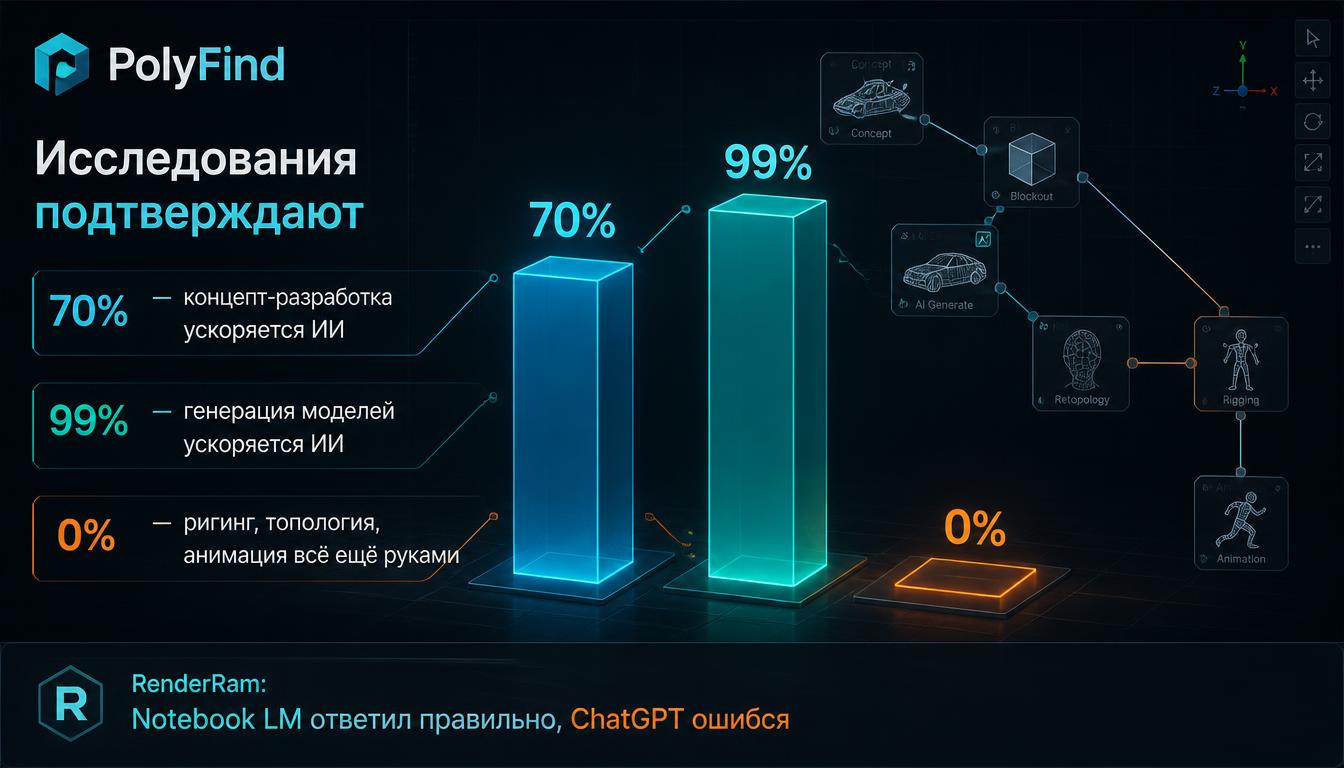
–: they hallucinate on 3D specifics. RenderRam case: Notebook LM answered correctly, but ChatGPT and Gemini were wrong.
hyperDart — Trusted AI Search
+: conceptually close: «No hallucinations. No clickbait. No rabbit holes.»
–: it’s universal and doesn’t focus on 3D. There is no community.
Discord communities (Render.ru, schools)
+: live interaction.
–: no AI assistant, no structure, information is not saved.
Potential Competitors:
Launched a generative AI tool for 3D assets. It could also include a «find tutorial» feature.
Google (Gemini 3D Simulations)
Already launching AI tools for education.
Onshape AI Advisor
It’s already operational—an AI assistant that answers questions based strictly on documentation and courses. But only for CAD.
Competition Criteria:
The first criterion is accuracy of responses. We check for hallucinations and whether sources are cited. With PolyFind: the AI assistant answers only based on verified sources and honestly states «I don’t know.»
The second criterion is software coverage. We look at which programs are covered: Blender, C4D, Maya, 3ds Max, Houdini, ZBrush, Substance. With PolyFind: all major programs plus niche ones.
The third criterion is database structure. We examine how solutions are organized: whether there are tags by task. With PolyFind: the AI assistant automatically tags by software, task, level, and language.
The fourth criterion is language. We check which languages the solutions are available in: Russian, English, translation. With PolyFind: Russian plus translation and localization.
The fifth criterion is response format. We look at what the user receives: text, video, or a link. With PolyFind: timestamps plus text plus a link plus a human who can help.
The sixth criterion is speed. We look at how long it takes to find an answer. With PolyFind: the AI assistant finds it in seconds, connects you with a person in minutes.
The seventh criterion is live interaction. We check if there is a community where you can ask questions. With PolyFind: rapid-fire questions, chats, voice rooms, and blitz sessions.
The eighth criterion is organization. We look at who manages the structure: a person or AI. With PolyFind: the AI assistant is the core of the system; it organizes both the database and the communication.