WIW — media for designers, featuring analysis of visual and cultural objects
Data Sources for Media
1. Design Archives and Curated CatalogsThe primary source for ready-made works for analysis: websites, identities, posters, packaging, typography, and digital products.Godly, SiteInspire, BP&O, The Brand Identity, Visuelle, Hoverstat.es, Craftwork, Design Resources, Martyr Directory.2. Social and User PlatformsSources for independent discoveries, curated selections, unique visual solutions, and creative experiments.Are.na, Savee, Pinterest, Instagram, Tumblr, Telegram channels, YouTube.3. Specialized Libraries and ReferencesSources for in-depth research into specific design fields: typefaces, graphics, interfaces, and archival materials.Typewolf, Google Fonts, Type Design Resources, Archive.org, Same Energy / Creative Commons.4. Cultural and Historical SourcesSources providing broader visual context: art, history, culture, architecture, photography, and object design.Books, magazines, libraries, museums, exhibitions, archives, and cultural institutions.5. Environment and Independent ObservationSources outside the professional design sphere. They help in discovering unexpected visual patterns and expanding visual literacy.City streets, architecture, nature, natural phenomena, primitive art, everyday objects, and the urban environment.
Method of Acquisition1. API Acquisition of structured data. Google Fonts, Are.na, YouTube.2. RSS / Feeds / Notifications Tracking new publications. Independent design blogs, studios, and media outlets.3. Manual Collection + AI Analysis Idea generation and initial curation. Instagram, Telegram, Pinterest, Tumblr.4. Manual Research Search Searching for unusual objects and context. Books, museums, streets, nature.
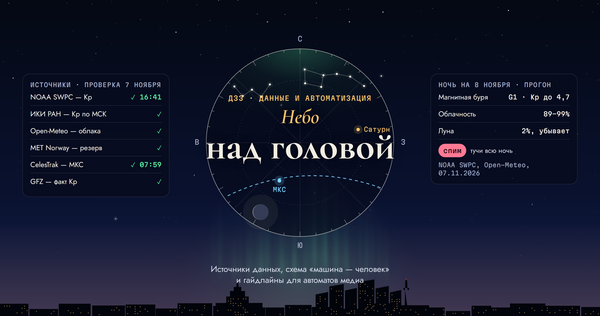
Data schema separated for human and machine processing
Full PipelineStage 1. Search and CollectionAI: searches for new subjects based on thematic queries, gathers links, titles, authors, and available information. It translates foreign materials. Human: examines the findings, evaluates visual expressiveness, and selects objects that are genuinely interesting to the audience.Stage 2. ResearchAI: collects supplementary information on the subject, searches for primary sources, creation history, authors, and context. It forms a brief summary with citations. Human: verifies facts and sources, independently studies the subject, formulates the main observation, and develops the editorial concept.Stage 3. Content CreationHuman: creates the raw draft of the article or post—including the headline, core idea, observations, conclusions, examples, and personal interpretation. AI: organizes the material, structures the content, corrects the language, reduces repetition, and aligns the text with a unified voice.Stage 4. Editing and PreparationAI: assists in checking textual coherence, identifying unsubstantiated claims, preparing captions, and adapting the material for various formats. Human: performs post-editing, cross-references facts with sources, checks images and copyrights, and approves the final text.Stage 5. Publication and DistributionAI: prepares text and image versions for the website and Telegram, generates metadata, and suggests a publication time. Human: reviews the final layout and makes the decision to publish.
C — human, AI — artificial intelligence
Guidelines for Automated Services
Service 1. Search and Information GatheringObjective: To find relevant objects and collect initial information about them.Guidelines: — Search according to specified thematic areas: identity design, typography, interfaces, graphic design, photography, art. — Prioritize original projects and primary sources. — Save the link, title, author, and date, if available. — Do not present found material as a verified fact. — Avoid adding duplicates of already collected objects. — Present results in a structured format, not as a block of text.Outcome: A database of candidates for editorial selection.Service 2. Research and TranslationObjective: To prepare a research brief on a selected object.Guidelines: — Use the original websites of authors, studios, museums, and publishers. — Separate verified facts from assumptions and interpretations. — For every significant fact, save a link to the source. — Translate the material into Russian without losing meaning or specialized terminology. — Do not invent authorship, creation dates, history, or the object’s intended purpose. — Note any information that could not be confirmed.Outcome: A research brief with sources.Service 3. AI EditorObjective: To transform raw notes into coherent material.Guidelines: — Audience: Design students and junior designers with 0–3 years of experience. — Tone: Competent, measured, and inquisitive. — Structure: Specific object, observation, explanation, potential application. — Use simple sentences and accessible vocabulary. — Avoid bureaucratic language, clichés, marketing jargon, and generalized musings. — Do not alter the author’s original idea or add unverified personal conclusions. — Maintain a consistent tone of voice across all materials.Outcome: A structured editorial draft.
Service 4. Content and Image AdaptationTask: To prepare material for various platforms.Guidelines: — For the website, retain the full argumentation and context. — For the Telegram channel, focus on one main idea and what the reader can take away. — Do not copy long website material into the Telegram channel without editorial adaptation. — Preserve the original aspect ratio and composition of images unless cropping is agreed upon. — Do not alter the content of references or generate details that are not in the original.Result: finalized versions for the website and Telegram.Service 5. Publication AnalyticsTask: To identify patterns in publication results.Guidelines: — Gather available metrics such as views, clicks, reactions, shares, and read-through rates. — Compare results across topics and categories. — Identify materials that generate high audience interest. — Do not conclude the quality of an article based solely on the number of views. — Propose topics and formats for further testing.Result: an analytical report and suggestions for the future content plan.
Example InstructionsAdapting an article from a website into a post for a Telegram channel, like a Visual Note based on the site’s material.We use Service 4, changing only the title, post type, and the text file.Article Text File + PromptImagine you are a design media editor. Generate text for a Telegram channel post on the topic, «The Navbar as Part of a Website’s Visual Language: A Case Study of Whitney, ” aimed at beginner and junior designers. The article should not be very long—about 2–4 paragraphs. Create 5 variations of the post text. The desired characteristics of the post are detailed below. The reader in the Telegram channel must grasp the value from a single post. It should not be a „textbook, ” but it also shouldn’t be a „design meme public page.“ Tone: A smart designer is showing another designer an interesting observation they made. Formula: Specific object + Specific observation + Specific logic + Potential for application. Important characteristics: Competent, Curious (not top-down teaching, but encouraging closer inspection), Discerning (the audience’s main problem is visual overload and repetition), Calm (not „HERE ARE 20 MORE STYLISH WEBSITES YOU MUST SEE, ” but rather: „We found one object. Let’s look at it closely“). Write the text clearly based on the following criteria: 1. Consider the text’s audience. 2. Try not to use complex sentences; divide them into two or three simple ones. 3. Avoid overly complex vocabulary, calques, or inappropriate foreign borrowings. 4. Don’t be afraid to increase the text size; rewritten text in a clear form is often longer than the original. 5. If introducing a term that might be unclear to the audience, you must define it. 6. Avoid participial and gerundial phrases: they complicate understanding and lengthen sentences. 7. If the text has many compound words, you can rewrite the sentences to eliminate them. 8. Make the text visually engaging: break it into paragraphs, use lists; and format it.