Concept
Lorem Ipsum — media about branding and design in the form of articles. The goal of the media is to shape a more conscious perspective among the audience regarding visual design and branding: to help them move beyond consuming beautiful images and accumulating references toward understanding why a project looks the way it does, how it is structured, and what decisions underlie its visual language.
Format and Editorial Principle
The main platform is Telegram. Twice a week, an article of about 2,000–3,000 characters is published, featuring a headline, a lead paragraph, several thematic sections, and a reference to the original source. If necessary, the text is supplemented with 2–4 project images, complete with captions. Each issue addresses a specific question regarding a solution, its objective, and its context.
Regular Features
Case Study Analysis — an in-depth examination of a specific identity or visual system.Book and Practice Review — research, publications, and experimental methodologies.Authors — individuals working in the fields of design and art.Industry News — new technologies, methodologies, and, where necessary, an analysis of their pros and cons and user feedback.Digest — job vacancies and events (a situational publication, likely once a month).
Six-Month Thematic Plan
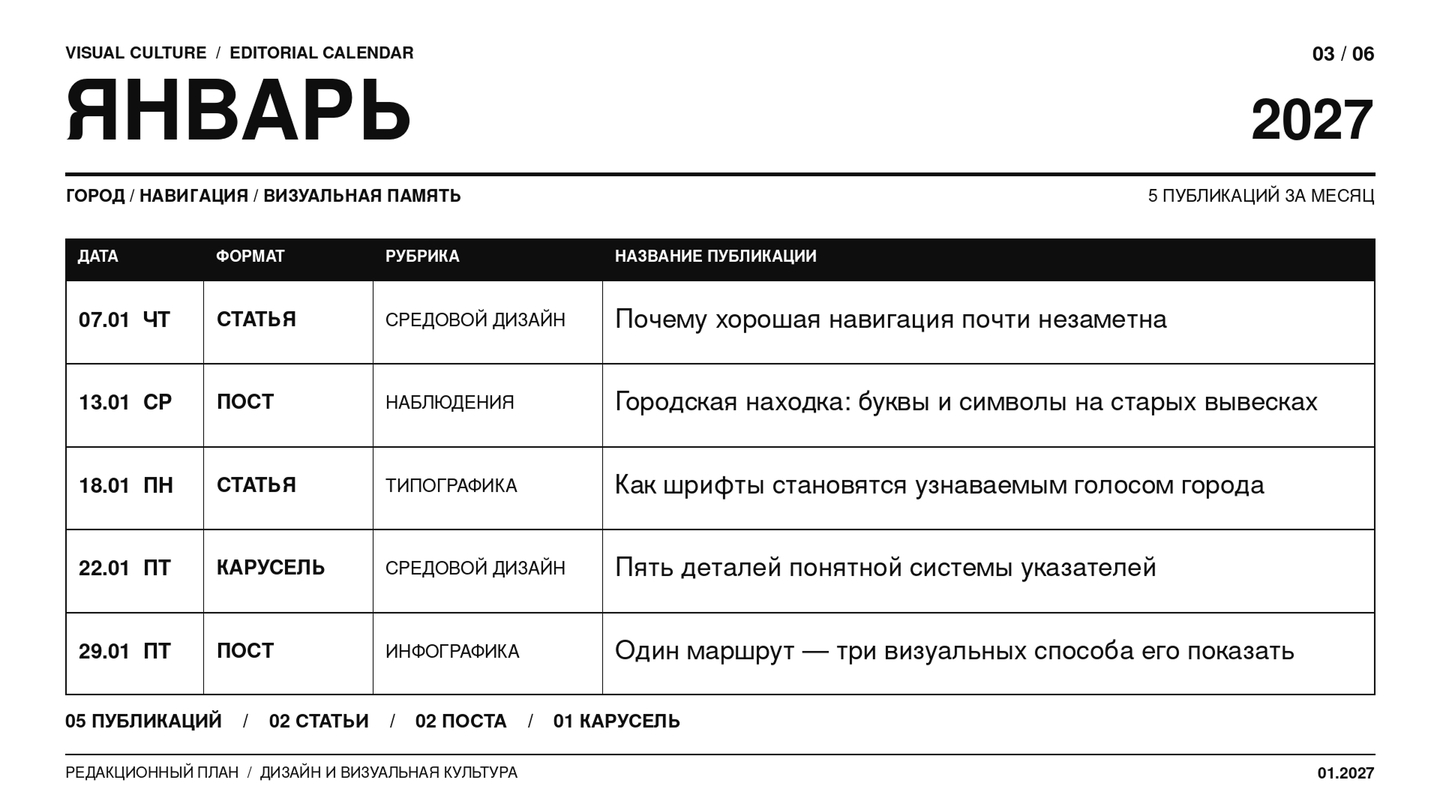
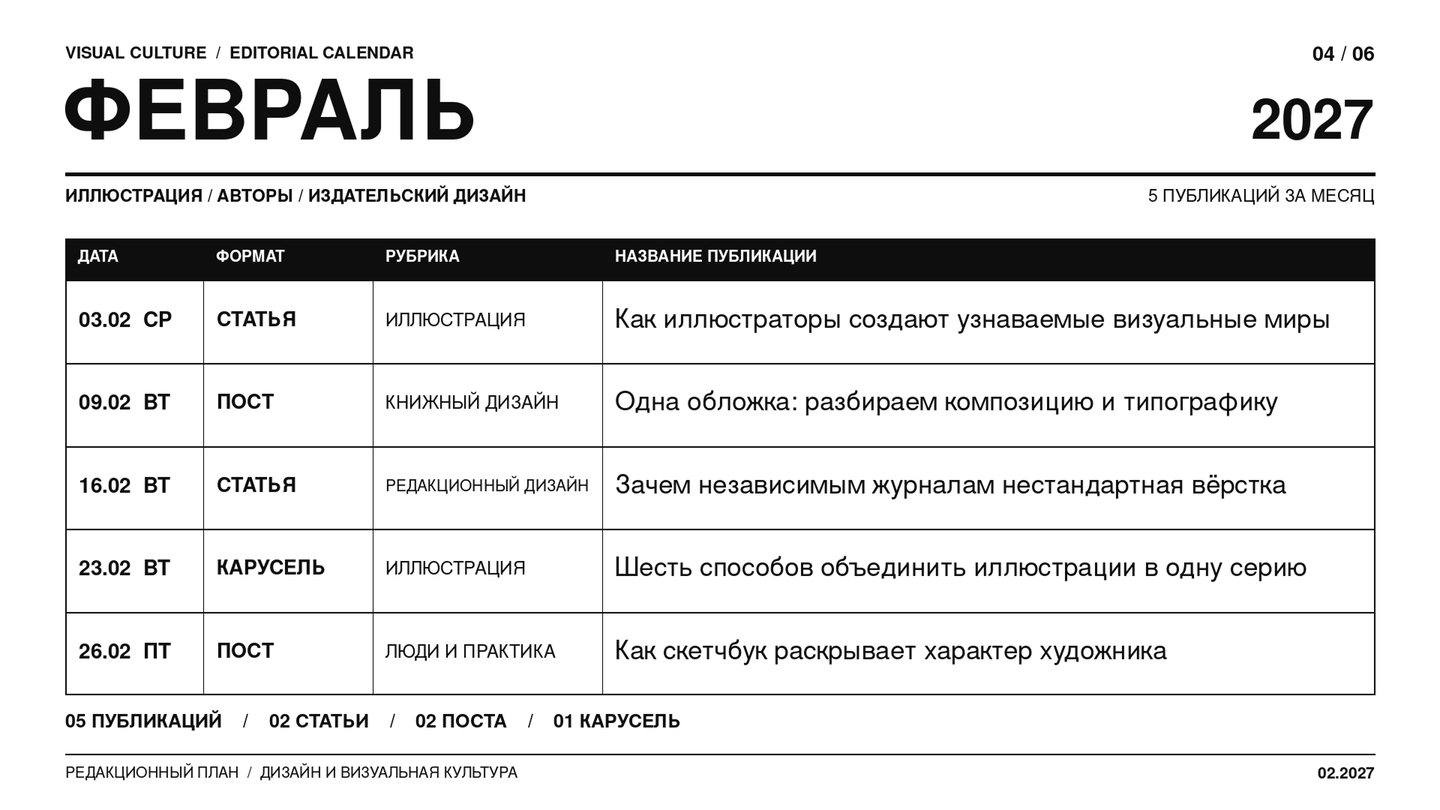
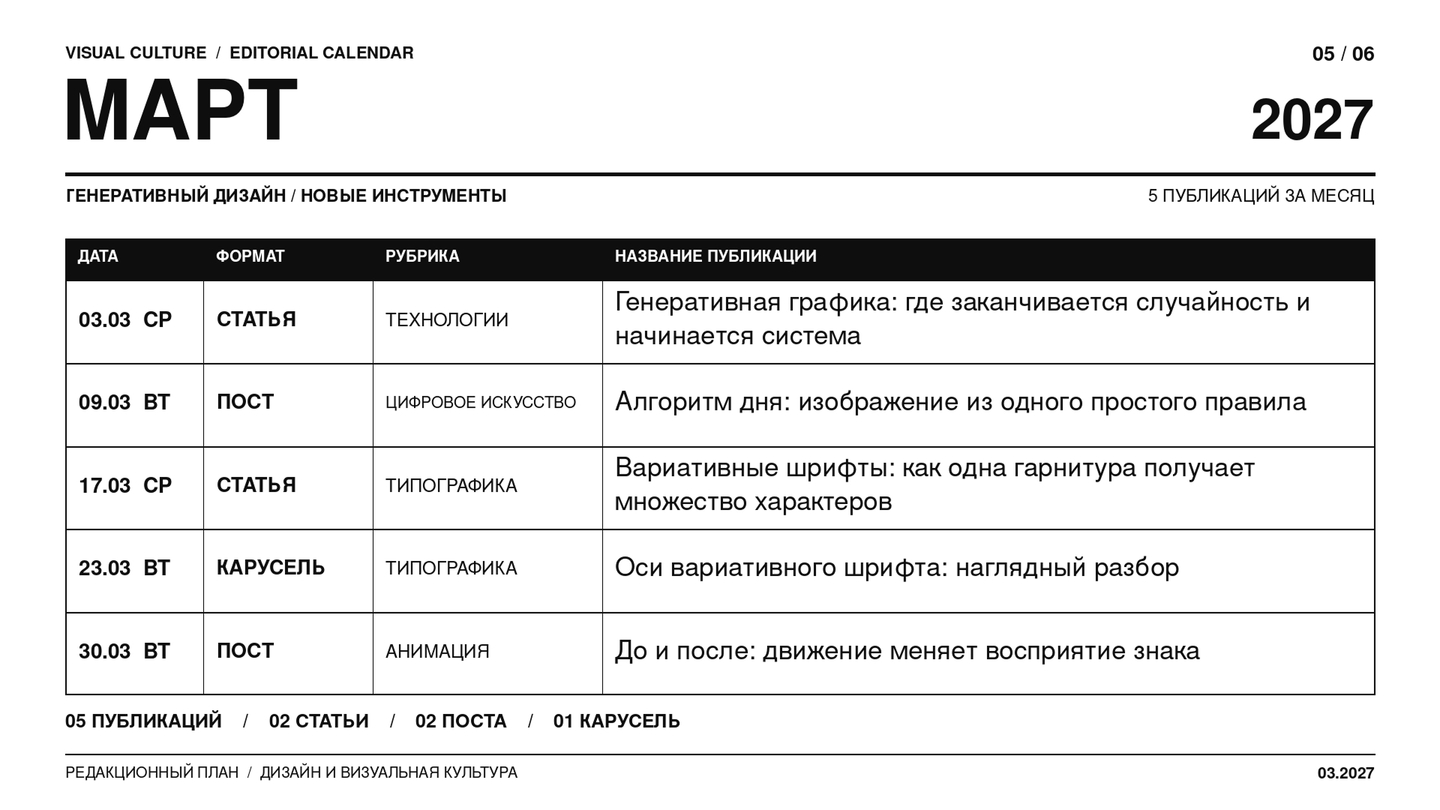
Period — November 2026 — April 2027. Frequency — two publications per week, averaging eight pieces of content per month, totaling 48 materials over six months. Each month is unified by an overarching theme; within that, we alternate between project deep dives, studies of visual culture, and editorial features. The numbers in the last column denote finished content samples from the third section.
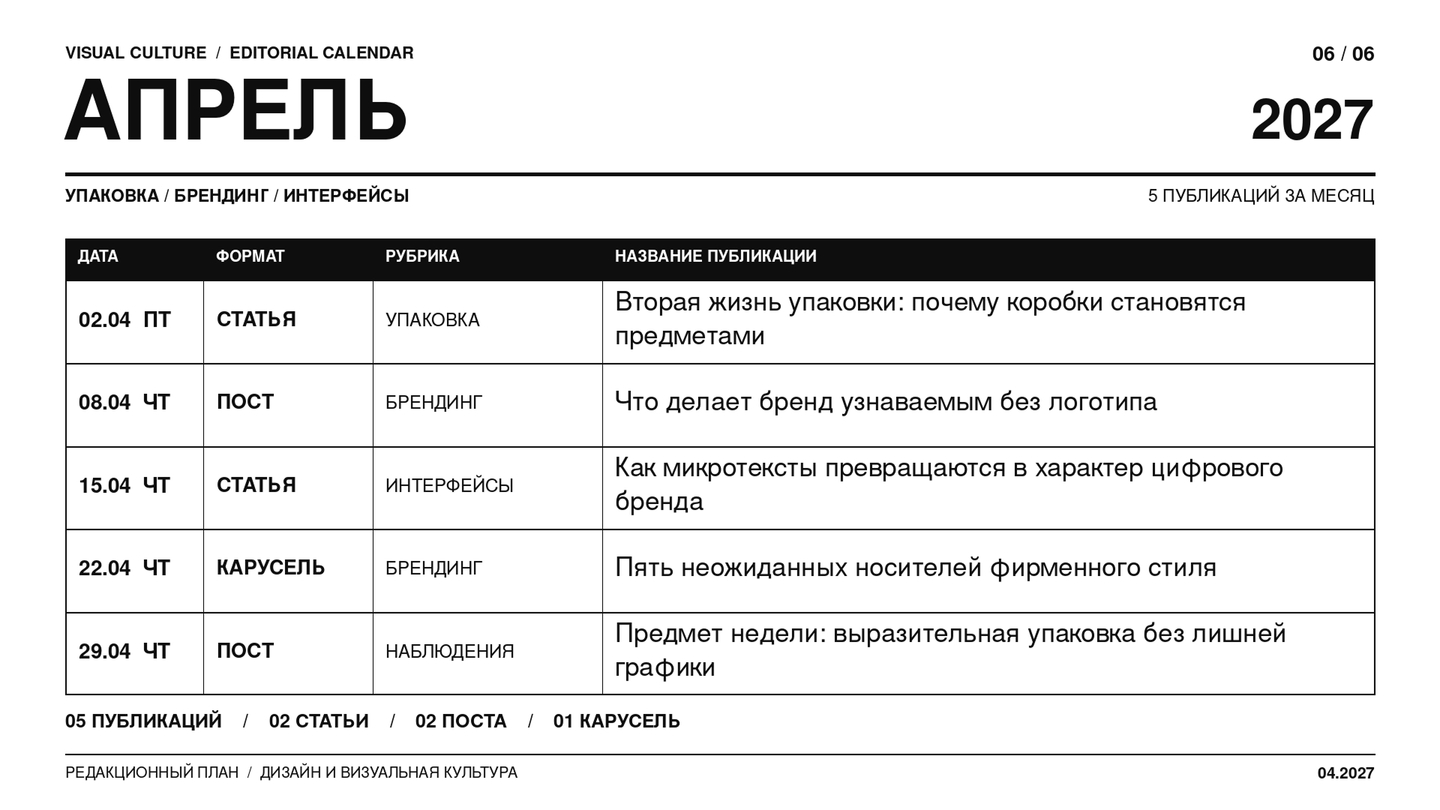
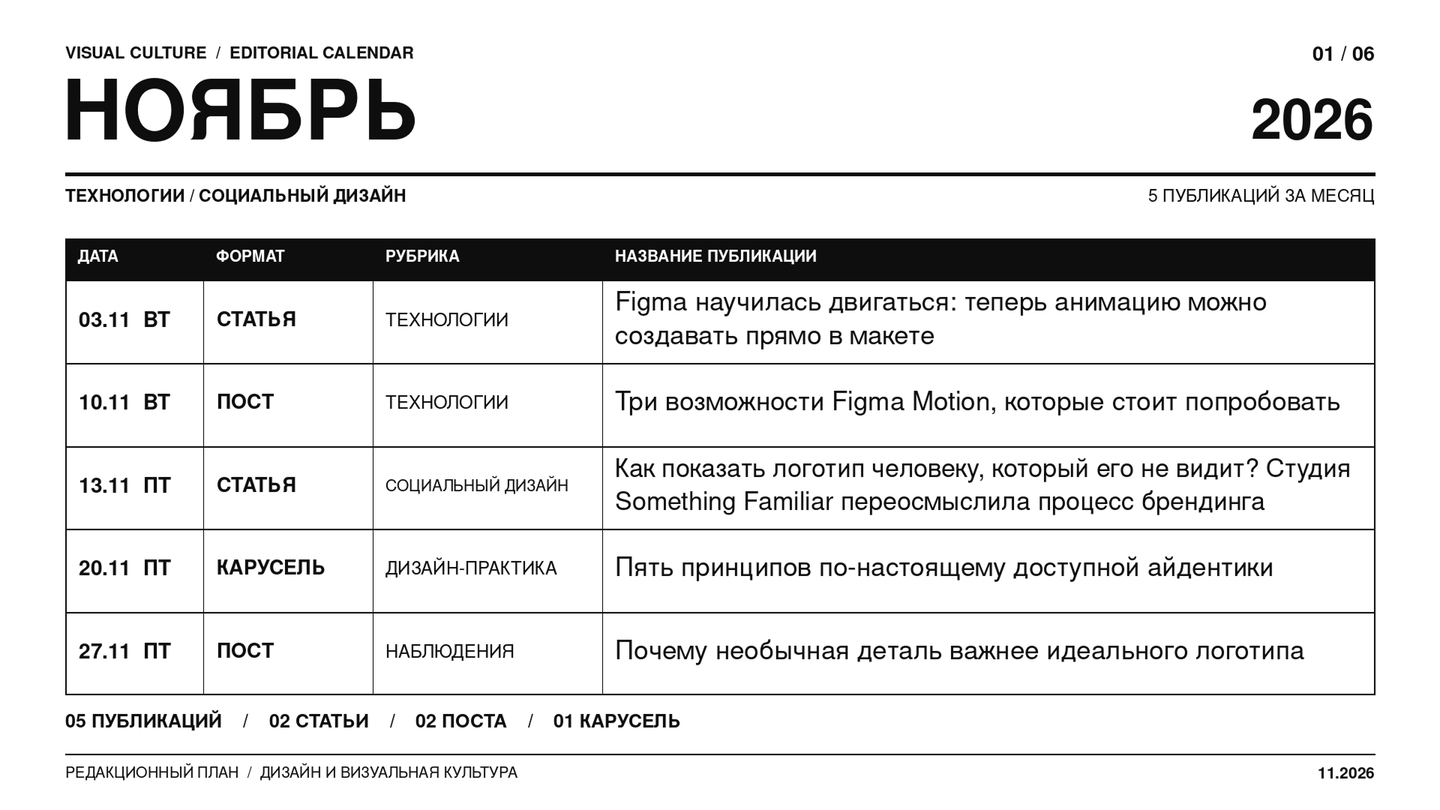
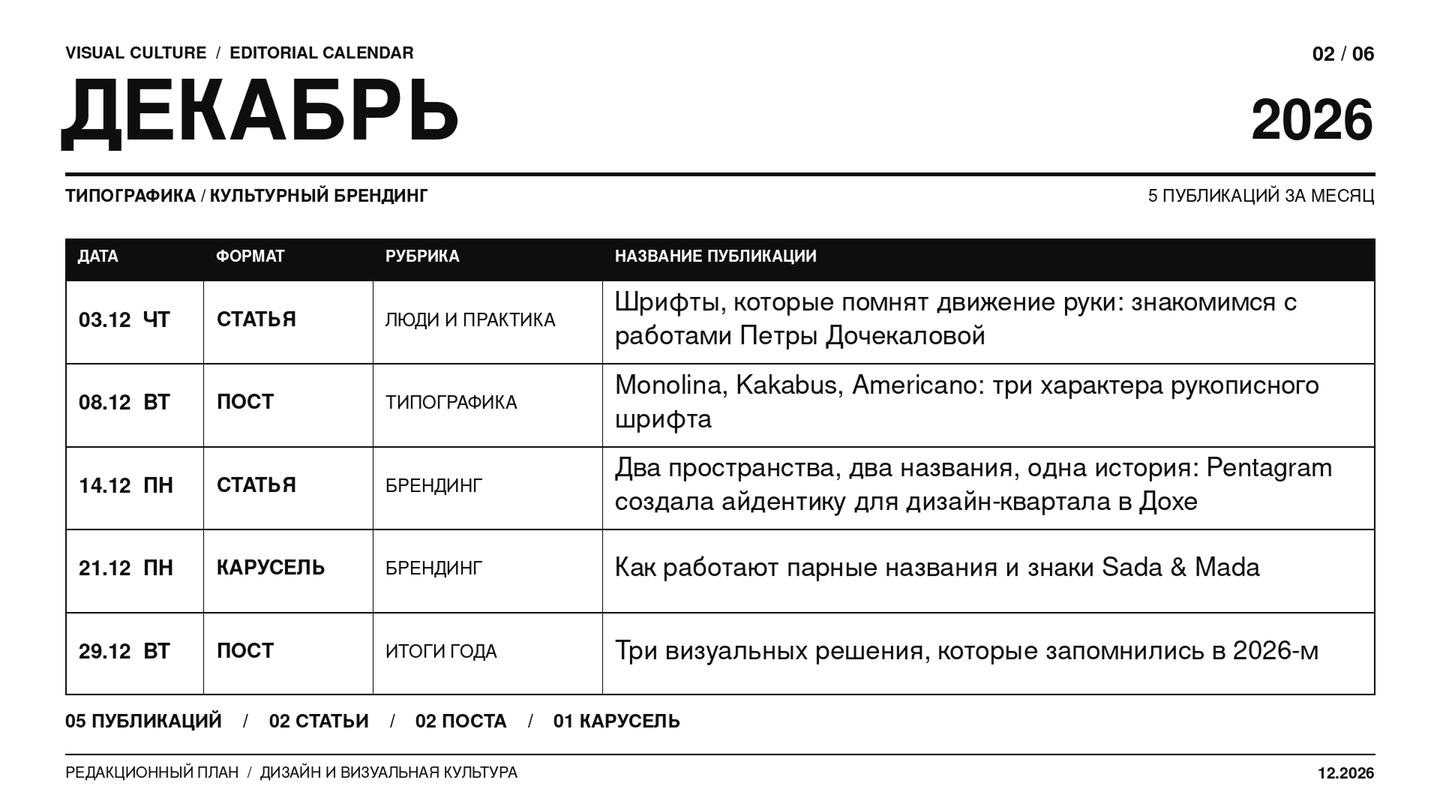
Content Samples
Content Type 1: Articles on Telegram (Telegraph)
(N1) Article 1: Figma learned to move: you can now create animations directly within the mockup
At the Config 2026 conference, the company introduced Figma Motion—a tool that integrates interface design, animation, and artificial intelligence into a single workspace.
A long-standing minor challenge in digital design was the necessity of using separate programs to draw motion and bring it to life. Mockups were created in Figma and then exported to an animation tool, where the designer had to rebuild the elements and configure their behavior anew. Now, Figma offers a way to skip this extra step.On June 24th, the company introduced Figma Motion—a new mode that allows elements to be animated directly within the design file. This feature added a timeline to the familiar canvas, enabling users to control keyframes, motion duration, and animation sequencing.The tool supports changes to an object’s position, scale, rotation, and transparency. Furthermore, animations no longer exist independently of the interface system; motion can now be saved within components and adjusted using variables, allowing the same principles to be applied across different parts of a product.
But the most interesting part of the update relates to artificial intelligence. The integrated Figma agent can create animations from a text prompt. The designer describes the desired movement, and the system generates keyframes, which can then be edited independently.
This approach does not eliminate the need to understand the principles of animation, but it allows for a faster transition from idea to experiment. Instead of starting with technical settings, the designer can immediately explore various movement options.
Figma has also enabled the transfer of finished solutions to developers. Animations can be exported to video formats or GIFs, and via Dev Mode, their parameters can be viewed and the code for implementation can be retrieved.
The key change here isn’t even in the number of new features. Figma is gradually transforming motion from an auxiliary step into a full component of interface design.
This is especially important for digital products, where animation has long ceased to serve solely a decorative function. It helps the user understand what happened after a click, where an element moved, and how the screens are connected.
(N2) Article 2: How to show a logo to someone who cannot see it? Something Familiar Studio reimagines the branding process
How do you show a logo to someone who cannot see it? The Something Familiar Studio has reimagined the branding process.
Working on the identity for the non-profit organization Onvero, the designers discovered that accessibility begins long before selecting a typeface or color palette.Typically, an identity presentation looks quite predictable: a designer opens slides, shows the logo, and explains why certain shapes and colors match the brand’s character. But what if the person making the final decision cannot see any of these images?This is precisely the challenge faced by the British studio Something Familiar while developing a new identity for Onvero—an organization that helps employers create a more inclusive work environment. Its CEO, Sandi Wassmer, is visually impaired, meaning the team had to rethink not just the visual solutions but also the conventional way of presenting them.The project began by reinterpreting the existing ENEI brand. The previous identity was perceived as too corporate and insufficiently reflective of the organization’s values. The new name, Onvero, and the visual system needed to make the communication more human and open.During the process, the designers quickly found that familiar professional methods were not always accessible to all project participants.For example, verbal color descriptions proved surprisingly subjective: each person pictured them differently, based on their own experience. The team experimented with AI-generated descriptions to create a more understandable shared language.In another instance, Onvero staff traced the outline of the logo directly onto Sandi’s palm, allowing her to feel its shape. Later, the studio began using tactile samples and laser-cut elements to present the design not only visually.These experiments influenced the final identity. They chose the Lexend typeface for textual materials, as it was developed with readability in mind. The color palette was built while adhering to contrast requirements, and the visual language itself was made friendly and intuitive.
It is particularly interesting that inclusivity here did not become a separate decorative message. Instead, it defined the entire design process—from the initial discussions to material preparation.
As a result, the rebranding helped the organization gain a visual system that better aligns with its activities and accommodates the needs of diverse users. The studio recognizes, however, that work on accessibility continues even after the brand launch.
The story of Onvero demonstrates that social design does not necessarily need to look like a poster with a loud call to change the world.
Sometimes, its greatest achievement lies in a far simpler act: allowing a person to fully participate in a process from which they were previously excluded.
(N3) Article 3: Typefaces That Remember the Movement of the Hand: Introducing the Works of Petra Dochekalova
Czech typeface designer Petra Dochekalova transforms handwritten lines into digital typefaces, retaining the character of the tools used to draw them.