Media Concept
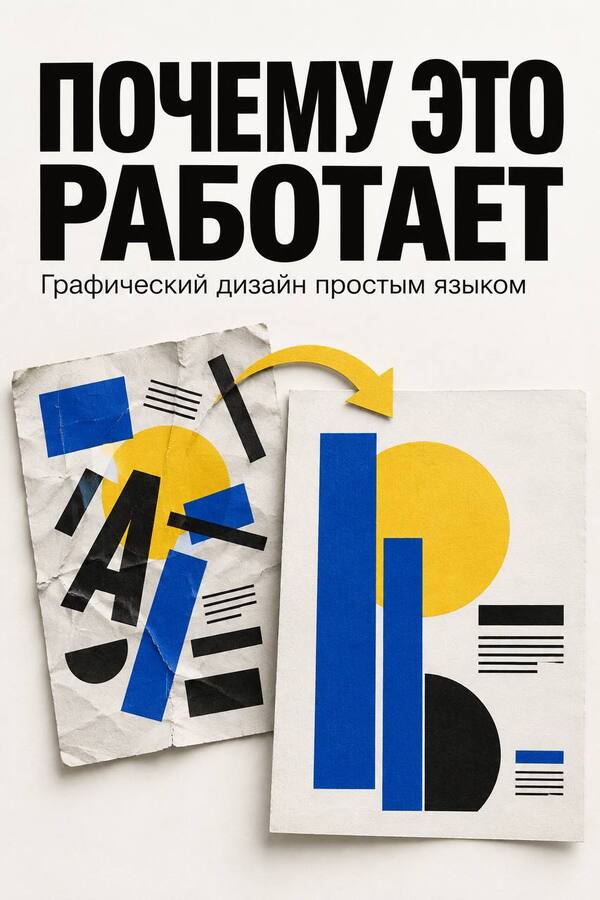
I have preserved the concept for the first homework assignment: explaining graphic design through familiar tasks and visual corrections. The materials help the reader improve their own design work and understand the designer’s rationale.
Audience and Value
The media is aimed at beginning designers, SMM specialists, entrepreneurs, and project authors. The reader gains one technique that they can immediately apply to their flyer, packaging, website page, or publication.
Editorial Format
The core of each issue is a specific problem, a «before/after» comparison, an explanation of the changes, and a short practical exercise. Sections include: analysis, error correction, one technique, an assignment, and community work discussion.
Platforms and Design
The main platform is Telegram. On VKontakte, we post cards and short videos; on YouTube, we provide detailed analyses; the website serves as an archive. We maintain the established aesthetic: a light background, black text, with blue and yellow accents. We explain things calmly, without making judgments about the author’s personality.
Developing the concept in the second Design Assignment
Below is a program consisting of six sequential thematic blocks. The first ten publications showcase the future format using original instructional mockups. These are independent examples, not real brand cases, and no claims are made regarding improved conversion or other metrics.
Semestermatic Plan
The period is six months from the launch. Each month includes four instructional weeks and 12 core publications, totaling 72 materials. Additional days are reserved for responding to feedback and preparation. Weekly rhythm: Monday—"before/after» case studies; Wednesday—a brief explanation of a technique; Friday—assignment or poll. Student work is reviewed only with consent; we will use sample layouts until applications arrive.
Month 1: Composition and Attention
Week 1. Hierarchy: What to read first on a poster. Week 2. Alignment: How a common edge builds a layout. Week 3. Proximity: How to connect a date and an event. Week 4. Space: How to distribute margins and padding. End-of-Month Project. Students create a clear announcement by combining the title, date, and location.
Month 2: Typography
Week 1. Typographic Sketching: one typeface and varied roles.
Week 2. Line Length: why text becomes difficult to read.
Week 3. Leading: how line spacing alters the composition.
Week 4. Font Pairing: when a secondary typeface is necessary.
Monthly Project. The student formats a short text passage and explains their choices regarding sizes and styles.
Month 3: Color and Contrast
Week 1. Legibility: light text on a light background.
Week 2. Focus: one main element on the screen.
Week 3. Palette: how to limit the color selection.
Week 4. Color and Meaning: why you shouldn’t explain everything with color alone.
Monthly Outcome. The student creates a palette for a series and tests legibility.
Month 4: Imagery and Format
Week 1. Framing: What to keep in the shot.
Week 2. Text on photos: Where to place the headline.
Week 3. Adaptation: One idea in square and vertical formats.
Week 4. Packaging: What’s visible on the label at first glance.
Month’s Result. The student adapts one post for two formats.
Month 5: Social Media and Websites
Week 1. Series: How to combine cards with a template.
Week 2. Buttons: How to display the primary action.
Week 3. Microcopy: How to name an action clearly.
Week 4. Hero Section: What needs to be shown before scrolling.
Monthly Outcome. The reader assembles a series of cards and a simple hero section.
Month 6 Independent Critiques
Week 1. Review: Mockup evaluation checklist.
Week 2. Justification: How to explain revisions without saying «I like it.»
Week 3. Reader feedback: Analysis with the author’s consent.
Week 4. Final practice: One task from initial concept to completion.
Monthly result. The student creates a final mockup and justifies three changes.
Plan Evaluation: We monitor views and shares, participation in assignments, and recurring questions monthly. Based on this data, we refine the topics for the next module. Surveys do not substitute for assessing whether the reader can apply the technique.
Content Examples 01
Why isn’t the main point visible on the poster?
Category: Before and After Breakdown · Format: Illustrated Post · Telegram / VKontakte If the title, date, address, and conditions are all rendered in the same large font size, the reader has to decide for themselves where to begin. Every element demands attention simultaneously. In the revised poster, the lecture title is the first thing noticed, followed by the date and time, and then the location and conditions. We changed the size and saturation of the text, not the content. The result is a visual hierarchy—the order in which information captures attention. Start with the objective: what must the person learn first? For a lecture, this might be the topic; for a cancellation notice, it is the fact of the cancellation itself. There is no universal order for all posters. Try it. Look at your poster in a reduced view. What do you notice first? Enlarge the main element and make the secondary information more subdued.
Content Samples 02
Why does a clean edge make a mockup clearer?
Category: One Technique · Format: Post with Illustration · Telegram / VK In the left version, each line starts in a new spot. Because of this, the heading looks like several separate captions. On the right, we aligned the text along a single vertical line. Now, the title, description, and caption are linked by a common baseline. This invisible support helps assemble the layout without extra borders or embellishments. Left alignment is not necessary for every design. Centering also works, provided it is consistent. The problem arises when different alignment methods are mixed without intention. Give it a try. Draw a vertical guideline and pin three text blocks to it. Compare the result to the original.
Content Samples 03
Which meeting does this date belong to?