01 · Media Concept
Goal, Theme, and Channel
Goal. To portray the compressor not as a cold instrument, but as an object with a distinct character. Every piece of gear possesses a design, a mood, and a unique sound. The media should evoke a desire to experiment—to connect, tweak, and hear the difference.Theme. Segment: musical equipment and sound engineering. Narrow focus: types of musical compressors—optical, VCA, FET, vari-mu, and their software emulations. Perspective: the design and mood of the instrument and their connection to the sound.Channel. HSE’s website—a long-form article featuring images and sound. Publication format: a cover image featuring the «instrument as an art object,» a story detailing the instrument’s mood, a brief, layman’s technical breakdown, a sound comparison («without compressor / with compressor»), and a concluding idea for an experiment. Tone: friendly; language: Russian.
Studio and USP
Tyoma, 15. A teen who has just started producing. He wants to understand which compressor is better and quickly try it in his tracks.Ilya, 27. Has been producing for several years. He is looking for a fresh perspective and inspiration to break out of his usual settings and change his gear.Marina, 38. A music enthusiast, not a sound engineer. She is curious about «what kinds of boxes» are used in studios and why her favorite recordings sound the way they do.Dasha, 24. A designer who stopped by by chance. She is looking for visual references and examples where an object’s form explains its function.USP. «The Sound Persona of You» is a media platform where you can not only hear a compressor but also see it. The project connects the design of the instrument to its mood and sound—with humor, personal experience, and without technical jargon.
— We visualize sound: competitors explain how the gear works; we showcase its character and aesthetic.
— Connections between imagery and sound: tube ↔ coziness, metal ↔ aggression, retro scale ↔ nostalgia.
— My take: personal authorial experience and humor, without deep lectures, physics, or manuals.
02 · Six-Month Thematic Plan
November 2026 — April 2027. Four sections, four publications per month, 24 pieces in total. Each month features one device or one theme explored across all four sections.
Topics and Rhythm
Device Face.
Compressor Portrait: exterior look, history, and a simplified breakdown of the technology. Text + images.I See Character.
How the panel, materials, and interface trick the brain and set the mood and sonic expectation of the unit. Text + images.Listen Up.
A short sonic analysis of «with / without»: what to listen for and what to pay attention to. Audio + video + text.Play Around Yourself.
A 15-minute experiment accessible to beginners: what to turn on, what to listen to, and what to notice. Audio + video + text.Monthly Topics: November — Optical Compressor; December — FET Compressor; January — VCA Compressor; February — Vari-Mu Compressor; March — Bus Compression and Mixing; April — Plugins and Wrap-up.
November–December · Optics and FET
- Optical Compressor: Calmness on the Facade — The Device’s Face — Text + Images
2. Beautiful Gear — Beautiful Sound? Expectation and Hearing — Seeing the Character — Text + Images
3. One Voice Before and After Compression — Listen Up — Audio + Text
4. We Listen First, Then We Look — Try It Yourself — Audio + Text
5. FET Compressor: Knobs Instead of Threshold — The Device’s Face — Text + Images
6. Pointer, Knobs, Labels: How the Panel Guides You — Seeing the Character — Text + Images
7. Where Did the Drum Hit Go? — Listen Up — Audio + Text
8. One Rhythm — Two Processes — Try It Yourself — Audio + Text
January — February · VCA and vari-mu
- VCA Compressor: The workhorse without frills — The Face of the Unit — Text + Images
10. Optics, FET, VCA, Vari-Mu: A Type Guide Without Formulas — Seeing the Character — Text + Images
11. Bass: Smoother, but not duller — Listen Closely — Audio + Text
12. Comparing at the Same Volume — Tune It Yourself — Audio + Text
13. Vari-Mu: Tubes and Big Sweeps — The Face of the Unit — Text + Images
14. Tubes and Anticipating «Warmth»: Where Does the Image Come From — Seeing the Character — Text + Images
15. Vocals: Control or Effect? — Listen Closely — Audio + Text
16. Subtle Processing or a New Character — Tune It Yourself — Audio + Text
March — April · Mix, Plugins, Wrap-up
- Tube Compressor: one unit for the entire mix — The Instrument’s Face — Text + Images
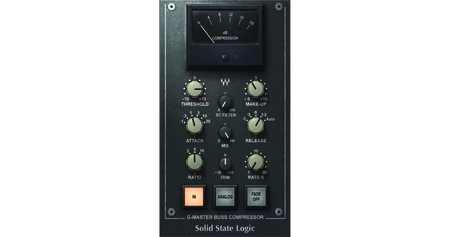
18. Why does a plugin need the look of hardware? — I See Character — Text + Images
19. Several tools, one processing chain — Listen Up — Audio + Text
20. Two processes on one snippet: blind comparison — Try It Yourself — Audio + Text
21. What the plugin interface captures from hardware — The Instrument’s Face — Text + Images
22. Visual Atlas of Compressors: Half-Year Wrap-Up — I See Character — Text + Images
23. Listening without names or images — Listen Up — Audio + Text
24. Choose your next experiment: reader survey — Try It Yourself — Audio + Text
03 · 10 Content Samples
Sample 1 · Text + Images · Optical Compressor: Serenity on the Facade
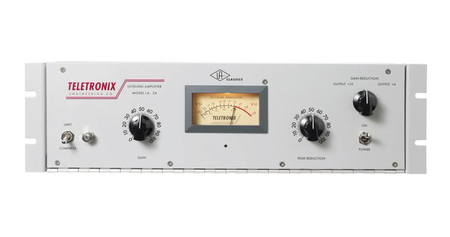
Lead. Two main knobs, one switch, and one large indicator arrow. A device that doesn’t crush the sound, but gently levels it out.
A classic optical compressor is simple in construction: the signal illuminates a lamp, the lamp shines onto a photosensitive element, and that element reduces the volume. The louder the signal—the brighter the light and the stronger the compression. The panel features only two main controls—how much to compress and how much to boost the volume back—and a mode switch.
Because the photosensitive element doesn’t react instantaneously, the device acts smoothly and releases the sound gradually. Engineers often describe this quality as smoothness or transparency. It isn’t a formula, but a holistic impression—and it surprisingly matches the aesthetics.
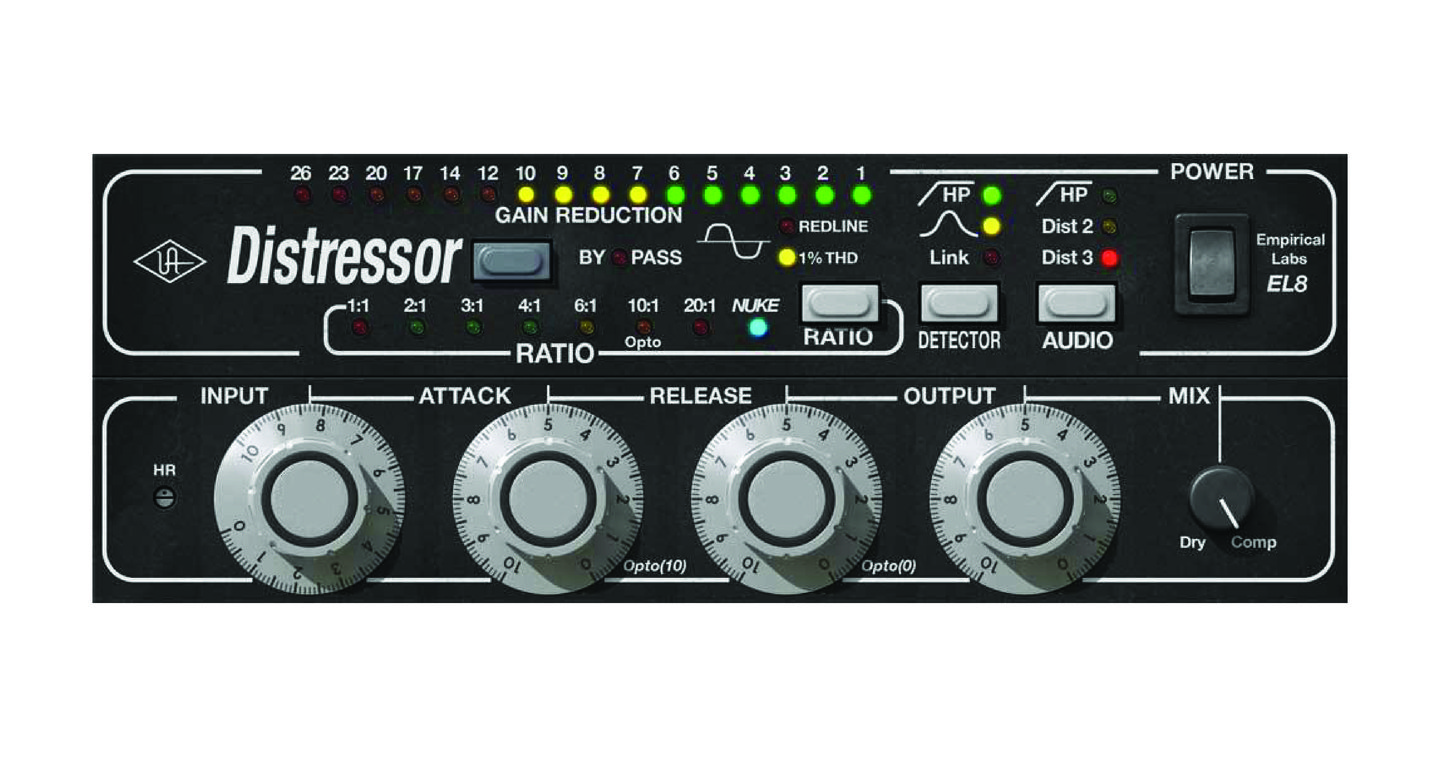
Look at the panel: large circular knobs, warm indicator lighting, and not a single unnecessary digit. The device seems to whisper beforehand: «Don’t worry, I won’t ruin anything.» That’s how we suggest you listen to it—not as a tool of control, but as a calm studio companion.
Illustration. A stylized panel of an optical compressor. Featured prominently in the article, like a cover image.
Try it yourself. Load any vocal recording, add the optical compressor or its plugin, and set the compression to the middle. Listen: where did the voice sound calmer, and where did it sound duller? Write in the comments what you noticed.
Example 2 · Text + Images · A beautiful instrument—a beautiful sound?
Lead. Image first, then sound. Can the appearance of a device trick our hearing?
When you look at a chromed panel with large knobs, you already anticipate a «dense, ” „professional“ sound. When you see a vintage tube, you expect „warmth.“ Expectation is not a measured parameter, but it influences how we listen.
This material is not proof—it’s a self-experiment. We show two compressors, which are completely different in appearance, and ask the reader to write down three words describing how each one sounds, in their opinion. Then—two unlabeled sound samples. Only at the end is the answer revealed: which sample was processed by which device.
The goal is not to prove that design „makes“ sound. The goal is to notice how quickly a device’s appearance shapes our expectations, and to learn how to separate the two. This is useful for both sound engineers and designers: the former begins to trust their ears, and the latter sees how form governs perception.
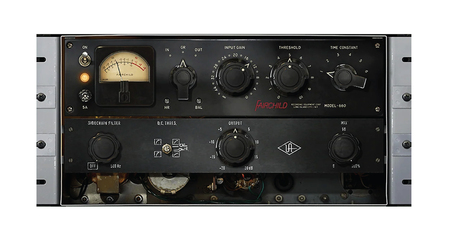
Images in the article. A pair of illustrations showing two dissimilar panels side-by-side (Optical and FET from our atlas) with the caption, „Guess how each sounds.“ Below are two unlabeled audio players, the answer hidden under a spoiler.
A question for the reader. Did your expectation match what you heard? Or was it the opposite? If you couldn’t hear a difference—that is also a result, so please write about it.
Sample 3 · Audio (Script) · One Voice Before and After Compression
Audio script for embedding in a long-form article. Duration—approximately 60–90 seconds.
Structure.
- Unprocessed voice clip—10 seconds.
- The same clip with an optical compressor—10 seconds. The volume has been leveled so that listeners compare character, not «louder is better.»
- A second, shorter repetition of the «without / with» pair—5 seconds each.
- The host’s closing line and question.
Host script. «Now you will hear the same voice twice. The first time—without compression, the second time—with it. I intentionally balanced the volume, so don’t look for which one is louder. Listen to how the voice holds its shape within the phrase: did it become smoother, denser, calmer—or the opposite, did it lose some vitality?» [examples provided] «Which version sounds more composed to you? And which sounds more authentic? Or do you hear no difference? Write it down—that is the ear training.»
What is used? A voice clip recorded by the author; an optical compressor or its plugin. The description beneath the player will include the equipment name and settings so the reader can replicate it.
Why this material? To demonstrate the difference with the simplest example—a single voice—without explaining the theory. This is the first audio material for the project; it sets the rule: we always compare at the same volume.
Sample 4 · Audio (Script) · Listen first, then watch
Runtime — approximately 60–90 seconds.
Structure.
- A sound clip processed with a compressor—15 seconds. The name of the device and the image are hidden.
- The host’s line: a request to describe the sound in three words.
- A 5-second pause.
- The reveal: the device name and illustration appear in the long-form article.
- A final line and question.
How it differs from reviews. In standard reviews, the device is shown first, and then it is turned on. We do the opposite: first the ears, then the eyes. This is the only honest way to test how much appearance influences expectation.
Long-form article format. An audio player at the top, followed by a «Show Device» spoiler that reveals the illustration and a brief text description of the panel.
Example 5 · Text + Images · FET Compressor: Buttons Instead of Threshold
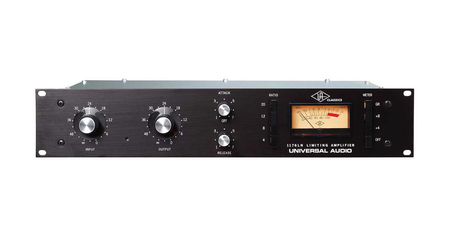
Lead. A row of buttons, a pair of large knobs, and an indicator needle that is rarely still. A device with a reputation for being audacious.
A classic FET compressor does not have a separate threshold control. Compression is regulated by the input volume: the harder you push the signal, the more the compressor works. The compression ratio is selected via buttons—4:1, 8:1, 12:1, 20:1—rather than gradually. It features attack and release controls, which are extremely fast; the unit is known for engaging in mere milliseconds.
There is also a famous technique: pressing all four compression ratio buttons simultaneously. This makes the unit behave unpredictably and aggressively—audio engineers use this as an effect, not as a «correct» setting.
Look at the panel: buttons instead of smooth potentiometers, large input and output knobs, and an indicator needle that jumps with every impact. This is not a device for delicate tweaking. It is a device that invites you to press and hear immediately. Whether such a character is appropriate or intrusive—that is for you to decide; we merely invite you to listen.
Illustration. A stylized panel of an FET compressor featuring a row of buttons and an indicator needle.
Try it yourself. Take a drum loop and run it through the FET compressor or its plugin. First, use 4:1, then 20:1, and then all the buttons at once. Where did it help shape the rhythm, and where did it start to get in the way?
Example 6 · Text + Images · Arrows, Buttons, Labels: How a Tooltip Functions