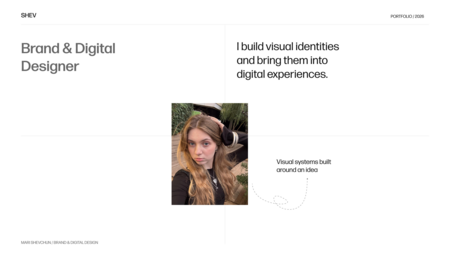
Cover Design Challenge: Quickly Establish Theme, Angle, and Expectation.
Formulate the topic so that the audience immediately understands what the discussion will cover and who it is relevant to on the very first screen.
Use phrasing centered on a task, a problem, or an expected outcome—this helps capture attention faster.
Imagine the viewer sees only this slide: they should be able to correctly guess the entire presentation’s meaning.
Step 2. Pain
Покажите, что проблема реальна и касается аудитории
Describe the problem through observable manifestations and real-world consequences, rather than using general statements.
Show the situation from the audience’s perspective: where it occurs, who it affects, and what it leads to.
The more precise the diagnosis, the greater the trust in the proposed solution.









Step 3. Solution
Представьте подход, метод или продукт
State your solution clearly and precisely: what exactly are you proposing, and what problem does it solve?
First, provide the overarching concept, and then, if necessary, detail the structure and operating logic.
Keep the focus on the core idea—details can be relegated to supplementary slides.








Step 4. Defense
Подтвердите состоятельность решения
Support your key assertions with facts, examples, and measurable outcomes.
Use case studies, data, demonstrations, and practical breakdowns—they lower skepticism and make the solution verifiable.
If your audience might have doubts—it is better to address them proactively here.









Step 5. Action
Переведите понимание в решение
Define a clear next step for the audience: what exactly are they being asked to do after the presentation.
Specify the format, stages, or conditions if they influence the decision.
A strong call-to-action slide eliminates uncertainty and converts interest into choice.









Step 6. Final
Зафиксируйте главный смысл и оставить сильное послевкусие
Articulate the core thesis of the entire presentation in a concise and memorable way.
You can return to the original problem and illustrate the new state after the solution has been implemented.
The final slide must retain the meaning and direction—even if the viewer remembers nothing else.