How to talk about a good project so that you want to exclaim, «WOW!»? We learn to transform a good project into a presentation that people want to watch: finding unexpected techniques, drama, and a touch of madness!
What is this course about?
The course focuses on creating a compelling presentation that extends the project itself—its core idea and visual language. Instead of a standard slide progression, participants learn to devise unexpected modes of delivery, working with humor, intrigue, absurdity, dramatic structure, and visual twists to maintain audience engagement.
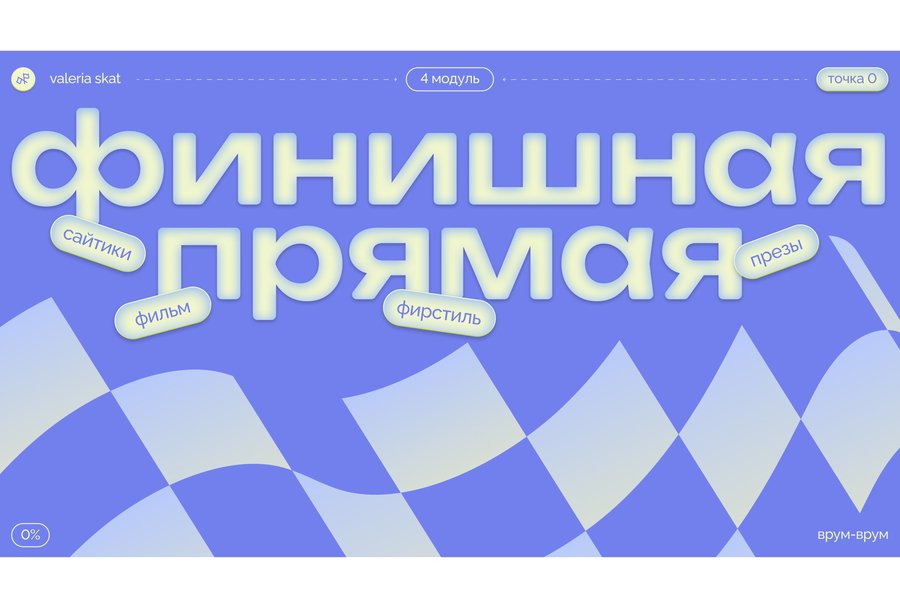
Within the course, participants will explore how to transform project materials into independent presentation elements, structure the sequence of information disclosure, and utilize static graphics, digital formats, long-form content, and animation.
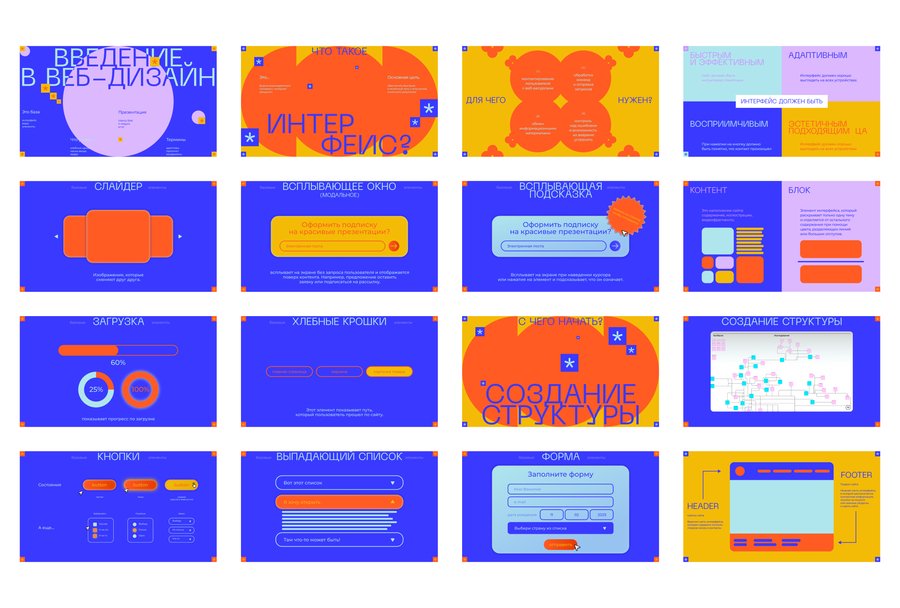
The culmination of the course will be a cohesive «UX presentation» of the student’s project—ranging from a horizontal presentation to a digital version and a long-form article, all unified by a central concept and a distinct design approach.
Who is this course for?
✦ For graphic, digital, and motion designers✦ For students and alumni of creative disciplines who want to learn how to present their projects in a unique way✦ For designers who want to transform presentations from a collection of slides into a standalone visual experience✦ For professionals who already know how to format projects but want to develop the conceptual depth and expressiveness of their delivery✦ For designers interested in humor, absurdity, interactivity, and unconventional methods of communication
Course Duration: 4 Weeks Total Hours: 24 academic hours.
Asynchronous (pre-recorded video) lectures.
Course PrerequisitesHaving a personal academic or professional project that can serve as the foundation for your presentation. Basic skills in Figma, Adobe Photoshop, and Adobe Illustrator. Understanding the fundamentals of composition, typography, and visual communication. Basic skills in creating presentations and digitally presenting projects. Proficiency in Adobe After Effects will be an advantage for completing animation and interactivity assignments.
What will students learn in this course?
During the course, students will learn to:✦ Analyze the content, nature, and visual language of a project before developing a presentation✦ Define the goals, objectives, and key messages of the presentation✦ Select the appropriate presentation strategy for an academic, professional, or conceptual project✦ Construct the dramatic arc and sequence of project disclosure✦ Determine the entry point and logical flow of the presentation✦ Employ expressive techniques to capture and maintain audience attention
✦ Developing a unified visual presentation system✦ Working with hierarchy, scale, contrast, composition, typography, and color✦ Organizing textual and visual information within a presentation structure✦ Creating expressive compositions and visual focal points✦ Designing the structure and sequence of a static presentation✦ Selecting and organizing project materials for presentation✦ Creating supplementary visual materials to elaborate on the project✦ Developing a digital longread, considering the characteristics of long-page viewing✦ Adapting the visual system for Behance, Dprofile, and similar platforms✦ Integrating text, images, video, and animation into a digital showcase
✦ Employ animation to emphasize information and reveal the essence of the project✦ Utilize interactive elements to engage the viewer✦ Adapt a single presentation system for various viewing contexts✦ Prepare and optimize a comprehensive suite of materials for publication and demonstration✦ Present your own project and justify the chosen communication strategy
What practical assignments will the course participants complete?
During the course, students will complete the following assignments:✦ Completing practical assignments on project analysis and determining the goals and objectives of its presentation✦ Developing the structure and dramaturgy for the presentation narrative✦ Completing practical assignments in composition, typography, color, and visual hierarchy✦ Developing the visual system for the project presentation✦ Completing practical assignments on working with imagery, mockups, and project materials✦ Developing and presenting the structure of a static presentation
✦ Completing practical assignments to create mockups and visualize the project in context.✦ Completing practical assignments to create additional visual materials to elaborate on the project.✦ Developing the structure of a digital long-read and adapting it for Behance, Dprofile, or a similar platform.✦ Completing practical assignments on combining text, images, video, and animation in a digital presentation.✦ Completing practical assignments on animating text, images, and graphic elements.✦ Completing practical assignments on using interactive techniques in digital presentations.✦ Presenting and discussing interim results.✦ Developing and presenting the final set of presentation materials.✦ Justifying the chosen visual presentation strategy for the project.
Thematic Curriculum Plan
THE PROJECT AS THE CORE OF THE PRESENTATION
— Analyzing the content, nature, and visual language of the project
— Identifying the unique aspects of the project that can form the basis of an expressive delivery
— Defining the key ideas and meanings that must be conveyed to the audience
— Discovering an unexpected way to talk about the projectTHE IDEA AND TONE OF DELIVERY
— The presentation as an extension of the project’s idea and visual language
— Finding a distinctive technique that defines the tone of the presentation
— Humor, surprise, absurdity, contrast, and other methods to capture interest
— The relationship between the presentation technique and the project’s theme and content
— Balancing the project’s comprehensibility with the «WOW!» factorDRAMATURGY AND ATTENTION MANAGEMENT
— The presentation as a sequence of visual and semantic states
— Constructing the entry point, development, and climax of the delivery
— Distributing information by considering the audience’s interest and attention
— Creating anticipation, intrigue, and visual twists
— The rhythm and pace of the project’s unfoldingUNCONVENTIONAL WAYS TO SHOWCASE A PROJECT
— Choosing a storytelling method based on the project’s nature
— Transforming project materials into independent presentation elements
— Working with scale, sequence, and context as expressive devices
— Utilizing metaphors, game mechanics, and surprising juxtapositions
— Creating devices that become part of the project’s narrative
HORIZONTAL PRESENTATION
— Building slides as a sequence of visual storytelling
— Unexpected ways to reveal information
— Using details, pauses, repetitions, and visual accents
— Techniques for creating a sense of surprise within a static presentation
— Scripting the presentation from the first to the final slideDIGITAL PRESENTATION AND LONGREAD
— Characteristics of presenting a project in a long-form digital page format
— Structuring sequential material delivery and managing audience attention
— Using scrolling as a tool of dramaturgy
— Interacting text, images, video, and animation in a digital presentation
— Creating unexpected moments and state changes within a longreadMOVEMENT AND INTERACTIVITY
— Movement as a way to extend the project’s idea in a presentation
— Unexpected transitions and interactions between elements
— Animation as a tool for generating suspense, humor, and emphasis
— Changing states and elements' reactions to viewer actions
— Using movement and interactivity to amplify the «WOW» effect;ASSEMBLING THE IMPACTFUL PRESENTATION
— Unifying techniques into a cohesive delivery concept
— Coordinating the static and digital versions of the presentation
— Reviewing sequence, rhythm, and the power of key moments
— Amplifying unexpected solutions and eliminating predictability
— Preparing a complete viewing experience for the project