Project Concept
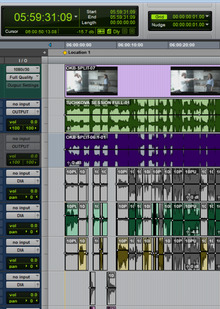
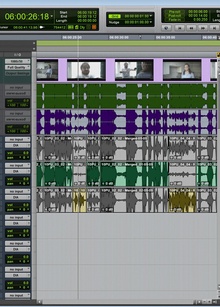
The sound design of a film is composed of many elements: dialogue, ambient soundscapes, synchronized effects, sound design elements, and music. For them to function cohesively, the materials must be organized, matched with the visuals, and a consistent overall sound balance must be established.This project focuses on mastering the core tools of Pro Tools and the workflow for film sound—from organizing project folders and setting up the session to exporting the mix and saving the project.
Pro Tools — a digital audio workstation for recording, editing, processing, and mixing audio. The software allows you to work with multiple audio layers simultaneously and precisely synchronize them with the action on screen.
Materials Organization
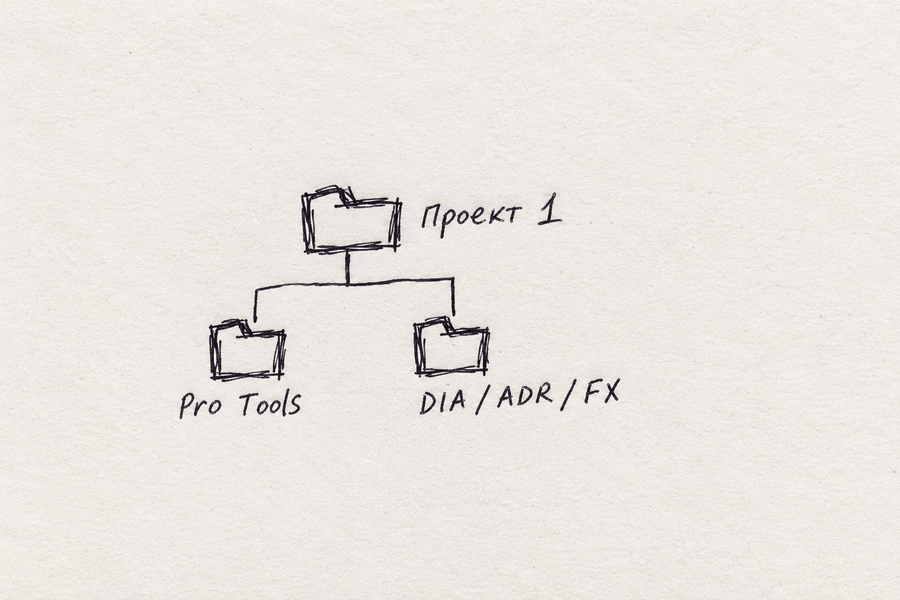
For all projects, a master folder is created, containing individual projects. Within each project folder, a «Pro Tools» folder is placed for the working session and related files. Alongside this, folders for source materials are created: DIA, ADR, FOLEY, FX, AMB, MUS, etc.
Import Audio Files
All audio materials for the project are converted to 48 kHz / 24-bit format. These parameters are set when creating a session and are accounted for during file import and export. Consistent settings help prevent sample rate discrepancies and maintain a unified format throughout the entire workflow.
Materials are imported via File → Import → Audio. If the source file parameters differ from the session settings, Convert is used—this converts the audio to the project format.Prepared files are saved in the Audio Files folder, where they can then be placed on new tracks or added to the clip list. For compatible files, Copy is available, which creates a local copy of the material.
Import Session Data
The Import Session Data function allows you to transfer tracks, clips, plugins, automation, and routing from another session. This is useful when using a pre-made template or combining parts of a project. You select the source session via File → Import → Session Data, then mark the necessary tracks and data. Assets can be imported onto new tracks or mapped to existing ones. After the transfer, check the I/O settings and the audio positioning relative to the timecode.
Tires
Buses allow signals from several tracks to be routed through a common path. This organization helps manage individual elements of the sound design and process them together.
The session utilizes DIA buses for dialogue, ADR for re-recorded lines, FOLEY for footsteps, clothing rustle, and object interactions. FX aggregates sound effects, AMB handles background atmospheres, and MUS handles music. REV 1 and REV 2 are dedicated to two different reverberators. (This is only a portion of the buses typically used in practice; more may be employed in real-world projects.)
Buses are created via Setup → I/O → Bus → New Path. A name and format—mono, stereo, or multichannel—must be assigned to each path. Afterward, the routing for the tracks and auxiliary channels (Aux) is configured.
Export the finished mix and a local copy of the project
Exporting the Final Mix
To save the sound result, use File → Bounce Mix. Before exporting, select the desired range, taking into account the decay of reverb and other effects.In the Bounce window, select the signal source, WAV format, and parameters of 48 kHz / 24-bit. The final file is saved in EXPORT and played back for verification.
Local Project Copy
The File → Save Copy In command allows you to save the session along with the necessary materials in a separate local folder. When copying, it is crucial to include Audio Files and other media that are in use.After saving, open the copy to check the file accessibility. This method helps prepare the project for transfer to another computer and preserves the ability to edit it further.
Below is a link to the test audio we rendered based on our study of the program.