
The integration of Ostbay and mediiia unites two key stages of working on sound design and music projects—feedback collection and public presentation.
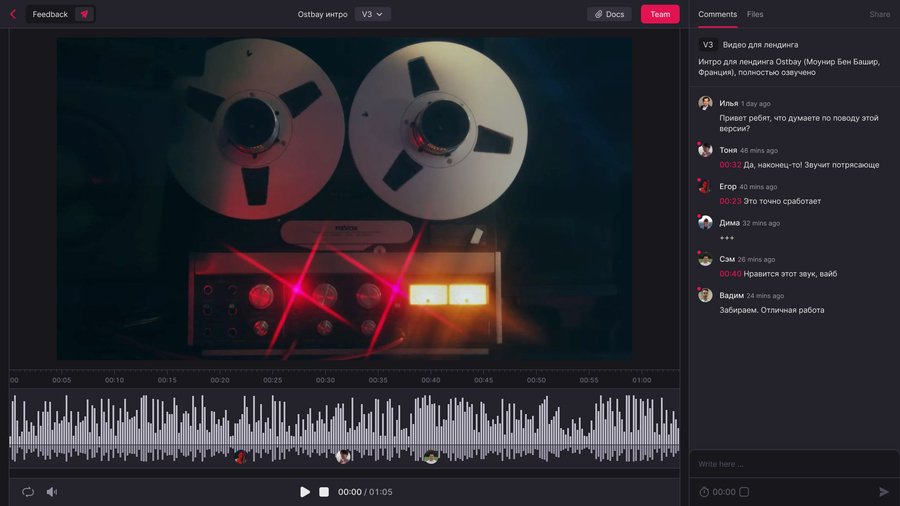
Step 1. Finalize feedback collection in Ostbay
Gather comments, make revisions, and lock the final version.
Ostbay is a space for working communication. The finished material is sent via mediiia.
Step 2. Transfer the project to mediiia
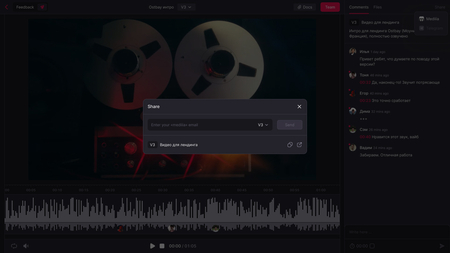
• Click Share • Select export to mediiia • Double-check that you have selected the relevant version • Enter your mediiia account login and confirm the submission
Once your account is verified, you will be able to:
• Go to mediiia—the file will automatically load into the project you are creating • Or copy the link to insert it manually
The transfer takes seconds and does not require re-uploading files.

Step 3. Check the Import
Open the created project in Mediiia and ensure that:
• the audio file has loaded correctly • the title is saved • playback functions
The project is ready for final packaging.
Step 4. Prepare and Publish Your Project
Add your presentation, configure the description, and prepare the project card.
Once everything is ready—publish. Your project will become available to the mediiia audience.
Ostbay—a platform for composers, sound designers, and music producers. We help you conveniently gather feedback on your projects so you can focus on your creativity.