Introduction
Lecture 15 minTo understand what vector graphics are, we must first grasp how an image is organized within a computer. There are two primary approaches: raster and vector.Raster images are composed of pixels.
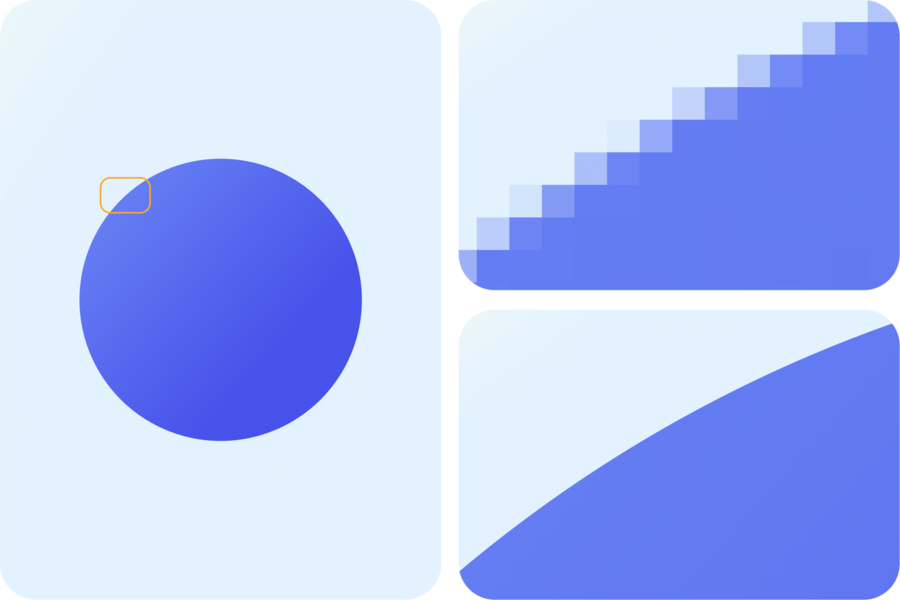
A pixel is a small dot of a specific color. All images—photographs, drawings, textures—are built from numerous such dots.For instance, if we see a colored circle on the screen, in a raster image, it consists of many pixels. The program does not store it as a «circle» inherently. Instead, it stores the information regarding the color each individual point (pixel) of that image should be.


If we enlarge a raster image, the program simply displays its pixels larger. Because of this, at high magnification, the edges begin to appear jagged and blurry—a drawback in applications where sharpness and quality-preserving scaling are crucial (such as printing).Vector images are structured differently.
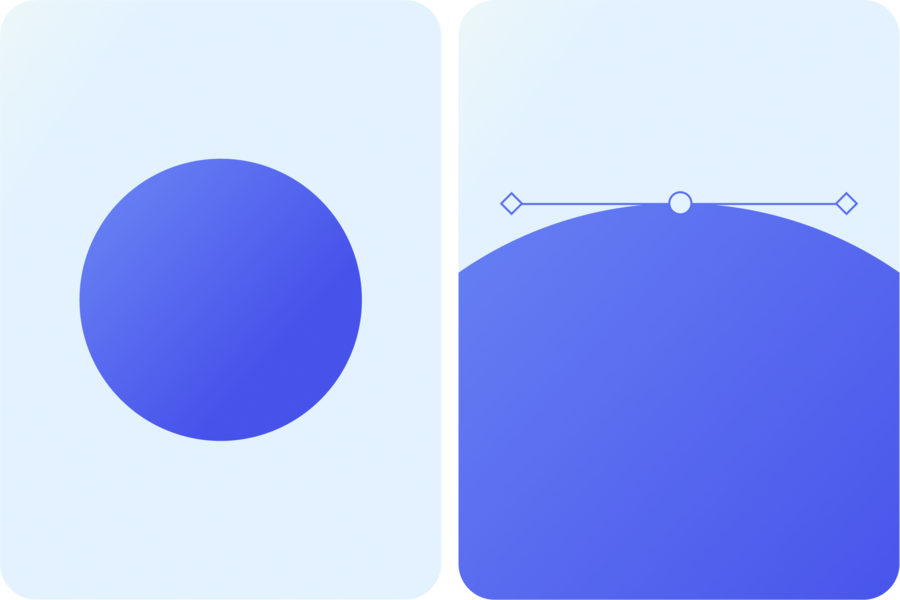
A vector is composed of objects described mathematically. For example, the same circle is stored as a geometric shape: specifying its center point, radius, color, and whether it has a stroke.