Procedural Graphics as a Client Tool
A course for brand designers on creating generators using vibe-coding, enabling clients to independently produce brand graphics.During the course, students will learn to transform identity guidelines into a simple digital tool with a set of defined parameters and constraints.The final deliverable will be a working prototype of a brand graphic generator.
What is this course about?
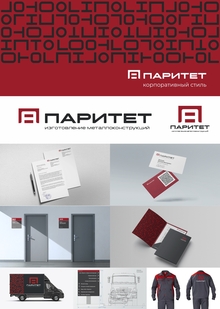
Some identity systems require the continuous production of a large volume of diverse materials.The generator allows users to embed the rules of a visual system directly into the tool: the user changes text, images, or several parameters, and the graphics automatically remain within the identity guidelines, while still being varied without repeating the same «approach» from one layout to the next.In this course, students will learn to design such tools using vibe-code—from defining system rules to creating the interface and exporting finished assets.
Who is this for?
For brand designers with experience who wish to create not only visual systems but also tools for the client’s subsequent use.
Course duration: 4 weeks.
32 academic hours.
8 sessions of 4 academic hours each.
Online format.
Prerequisites
Knowledge of brand design, composition, and typography principles. Experience in developing identity systems.
Programming skills are not required: the course focuses on creating simple tools using off-the-shelf technologies and AI assistants.
PRO
After completing this course, students will be able to:
— Translate identity guidelines into a set of parameters and dependencies — Consciously utilize vibe-coding as a tool and understand its appropriate application — Determine which elements of a system a user can control — Design a simple generator interface — Create a functional tool for producing corporate graphics
Thematic Plan
IDENTITY AS A TOOL
Examples of generators and client tools. What design tasks are worth automating. Separating design decisions from user parameters.
Practice: selecting the task for the final tool.RULES AND PARAMETERS
Translating a visual system into an algorithm. Constant elements, value ranges, randomness, and dependencies.
Practice: generator logic schematic.GRAPHIC SYSTEM PROTOTYPE
Creating the procedural foundation for a future tool. Working with text, images, color, and composition.
Practice: first functional generator.INTERFACE
Which settings are truly necessary for the user. Sliders, toggles, input fields, presets, and random generation.
Practice: creating the control interface.
- GUIDELINES. WHERE ARE THEY NEEDED?
What rules help the system remain consistent, and which ones hinder its operation? We learn to configure the foundational parameters.
Practice: generator configuration, cleaning unnecessary parameters.6. APPLICATION IN BRAND IDENTITY
Working with formats, templates, and real content. Limitations that prevent the disruption of the visual system.
Practice: creating a series of posters using the tool.7. DEVELOPMENT AND TESTING
Testing the generator with various users and scenarios. Adjusting the interface and parameter range. Exporting results.
Practice: sharing tools among students, testing. Refining the tool.8. FINALIZATION
Presenting the functional generator and identity system across several posters