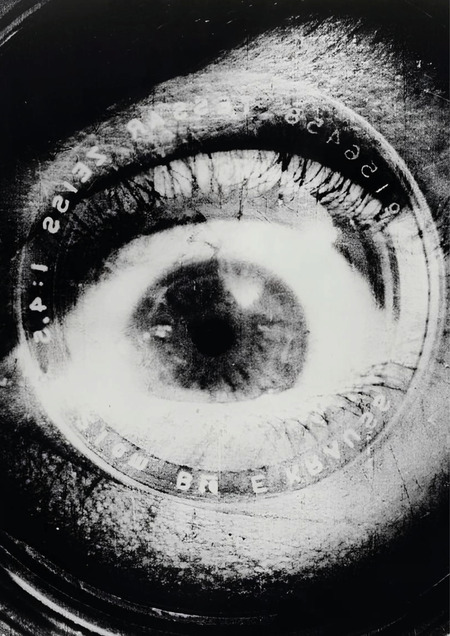
Learning Stable Diffusion XL using DreamBooth + LoRA on an artist’s signature style and generating a series of images
METHOD: DreamBooth LoRA
MODEL: SDXL 1.0
STEPS: 500
DATASET: ~20 images
01. Project Concept
The project is dedicated to investigating the possibility of training a generative neural network to replicate the artistic signature of a specific author—the Russian photo-collage artist Valery Cherkashin. His works are instantly recognizable: layers of black-and-white photography, vibrant color accents, nostalgic Soviet and Imperial imagery, and ornaments and textures that transform the collage into a painterly canvas.
— Can a neural network learn to «see» like an artist, assembling the world from layers of time and memory?
To address this question, a dataset of Cherkashin’s photo collages was compiled, and a base Stable Diffusion XL 1.0 model was fine-tuned using the DreamBooth LoRA method. The result is an adapter weighing approximately 50 MB that «knows» the artist’s style and can apply it to any text prompt.
The concept for this image series is built around the theme «Megapolis Through Memory»: well-known urban spaces—New York, Tokyo, Moscow, Paris—are rendered in the aesthetic of a Cherkashin collage, where contemporary architecture overlaps with archival layers and ornamental patterns.
02. Dataset for Training
The dataset consists of approximately 20 square images (1:1, JPEG, resolution $\geq$ 512×512) — reproductions of photo collages by Valery Cherkashin. All images have been standardized to a single aspect ratio and verified for clarity and detail legibility.
For each image, a descriptive caption was automatically generated using the BLIP (Bootstrapped Language-Image Pretraining) model, to which a constant prefix was added:
CAPTION PREFIX
photo collage in CHERKASHIN style,
A few examples of entries from metadata.jsonl:
METADATA.JSONL (FRAGMENT)
{"file_name»: «img_01.jpg», «prompt»: «photo collage in CHERKASHIN style, a woman in a vintage dress surrounded by ornamental patterns and black-and-white photographs"} {"file_name»: «img_02.jpg», «prompt»: «photo collage in CHERKASHIN style, portrait layered with soviet-era imagery and floral textures"} {"file_name»: «img_03.jpg», «prompt»: «photo collage in CHERKASHIN style, city silhouette overlaid with archival photographs and decorative borders"} {"file_name»: «img_04.jpg», «prompt»: «photo collage in CHERKASHIN style, close-up female portrait with bright color accents and vintage newspaper fragments"}
Examples of instructional imagery (photomontages by V. Cherkashin):
Grid of training images — photo collages by V. Cherkashin from the dataset
Visual style constants discernible within the dataset:
03. Series of Generated Images «Metropolis Through Memory»
Following the training of the LoRA adapter, a series of two images was generated, unified by the theme «global urban spaces in the aesthetic of Cherkashin collage.» Each prompt includes the trigger token CHERKASHIN style and a specific location.
04. Results Analysis
4.1 Series Concept
The «Metropolis Through Memory» series explores how a neural network interprets Cherkashin’s artistic methodology when applied to urban space. Cherkashin works with temporal layers: his collages exist simultaneously across multiple eras—archival photography from the 1900s coexists with 18th-century ornamentation and contemporary color accents. In this series, this idea is transposed onto topography: every city carries within it an «archive» of its own visual history.
4.2 What the Neural Network Managed to Convey
MULTILAYERING
The model learned to «layer» multiple visual planes: the architectural background, the archival layer, and the color accent all exist simultaneously, without merging into a uniform texture. BLACK-AND-WHITE PORTRAITS
The trigger phrase «photo collage in CHERKASHIN style» consistently generates monochrome faces—one of the author’s key visual markers. ORNAMENTALITY
Decorative patterns appear at the edges of the composition and in the background layers—the neural network associates the style with ornamental framing of the image borders. COLOR ACCENT
The dominant palette is golden-red and amber, which precisely matches the warm color scheme of Cherkashin’s original works.
4.3 Variation within the Series
Two images demonstrate key variations:
Checkpoint Influence: checkpoint-500 (Image 1) yields a more pronounced collage effect with evident layer superposition; checkpoint-250 (Image 2) produces a more realistic texture. Layer Density: at lora_scale=0.5, the underlying architecture is clearer, and the collage textures emerge more softly. Color Palette: Image 1 leans toward pink and silver, while Image 2 favors warm ochre-yellow tones with elements of urban realism.
4.4 Generation Details
The final images were generated using the parameters num_inference_steps=25 and lora_scale=0.5 (half the «dose» of the style). This was a deliberate choice: a full scale (1.0) resulted in the architecture being excessively «dissolved» into the textures; 0.5 provides a balance between location recognizability and stylistic overlay.
Image 1 used the final checkpoint (checkpoint-500, full LoRA); Image 2 used the intermediate checkpoint-250 with pipe.fuse_lora (lora_scale=0.5), which yields a noticeably different texture—softer, with fewer abrupt transitions between layers, and better architectural clarity.
4.5 Limitations and Artifacts
With a small dataset (around 20 images), several typical artifacts are unavoidable:
Overfitting Indicators: The neural network sometimes «quotes» specific faces or elements from the training images—Image 1 shows the appearance of the Statue of Liberty as a «ghostly» layer. Typography: Text elements (newspaper fragments) are generated as pseudolettres—SDXL does not reproduce actual text. Architectural Geometry: The straight lines of buildings sometimes «melt» under the weight of collage textures, which is a characteristic limitation of diffusion models.
05. Curriculum and Process
The training was conducted in Google Colab (GPU: T4 / A100, ~40 minutes for 500 steps) using the diffusers library (HuggingFace) and the script train_dreambooth_lora_sdxl.py.
Environment Setup Install dependencies: bitsandbytes, transformers, accelerate, peft, diffusers@main, datasets. Initialize the accelerate config default for single-process GPU execution.
Dataset Curation Load images into the ./cher/ folder. Automatically generate captions using the Salesforce/blip-image-captioning-base model, prefixing each caption with «photo collage in CHERKASHIN style, „. The result is the cher/metadata.jsonl file.
HuggingFace Hub Authorization To save trained weights to the Hub, use a write token via notebook_login (). The model is saved to the cherakshin_style_LoRA repository.
Training Execution Run the script accelerate launch train_dreambooth_lora_sdxl.py using the hyperparameter settings provided below.
Inference Load the base SDXL model + VAE madebyollin/sdxl-vae-fp16-fix, connect the LoRA using pipe.load_lora_weights (). Generate output using 25 steps.
Key Code Blocks