
Register on the platform https://creativecity.academy
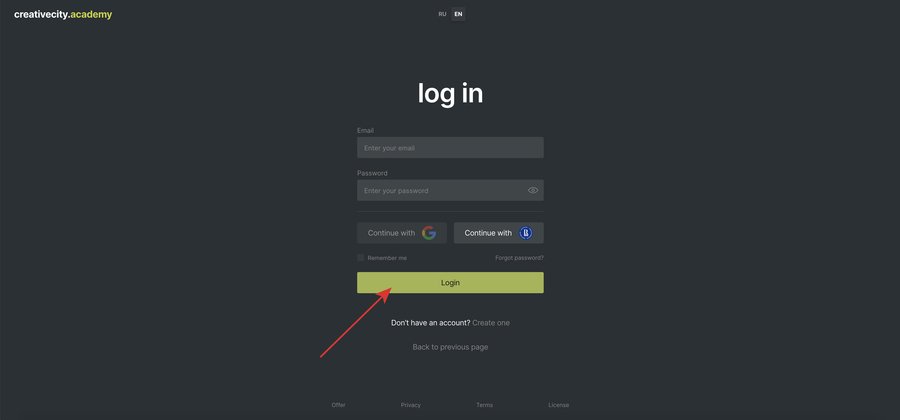
Create the account using your E-mail address. You will get the letter from Digital Platform Team, following the link in the letter you will have to confirm the registration.
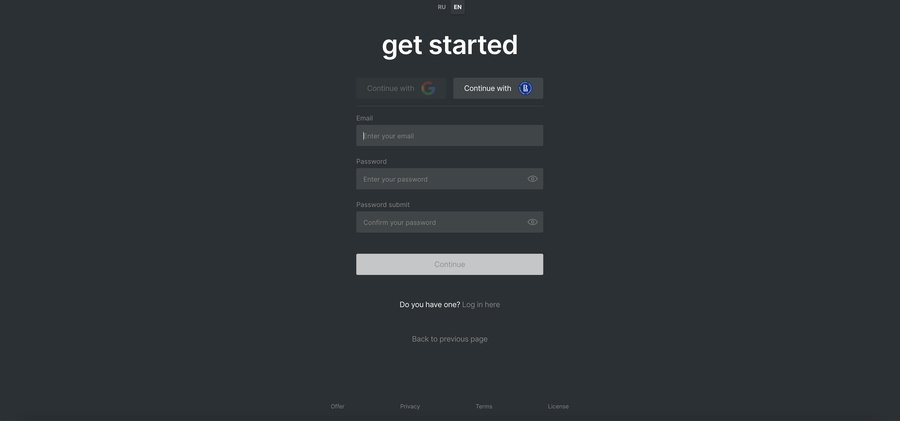
Download your project using the button ‘Create project’ in the upper right corner.
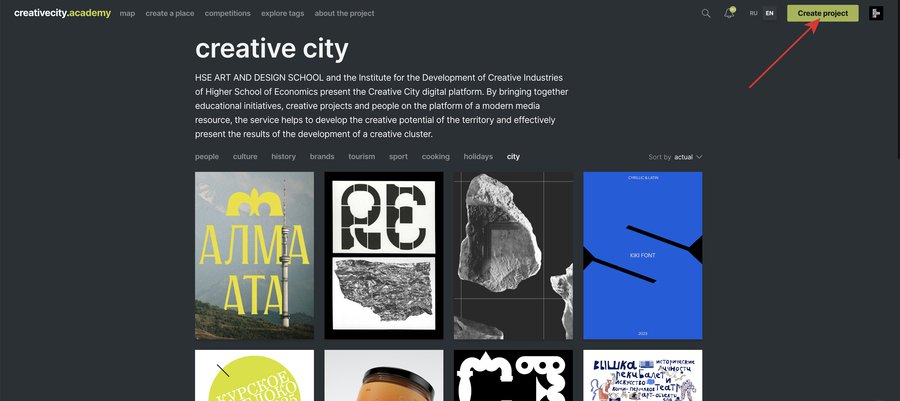
The projects on the platform are submitted to the tags system. The required tag for your project is ‘video’.
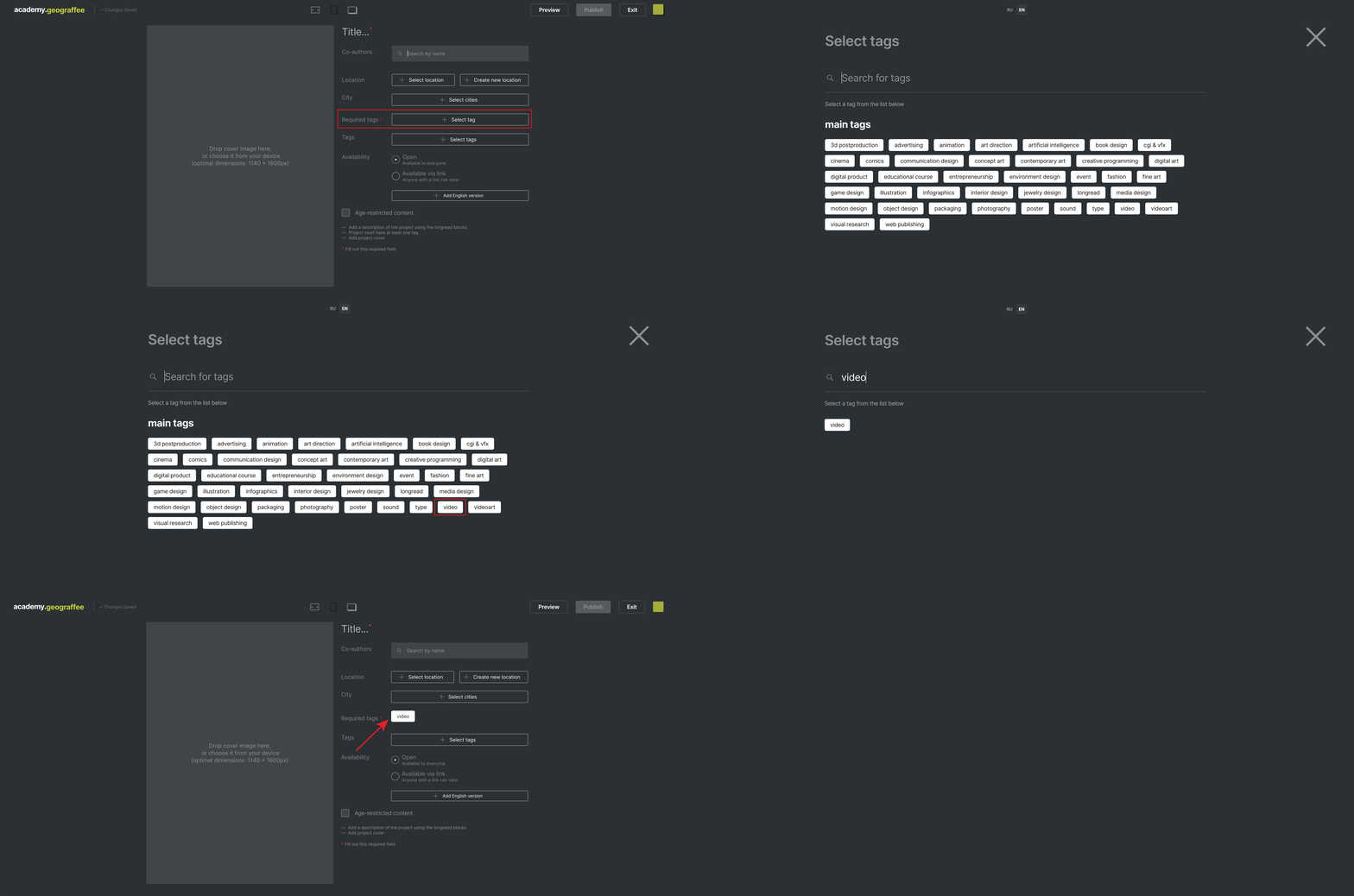
You can also use the tags of the city or place (eg., an object which is your project dedicated to) in your project. You can create the tag of a place yourself.
Create project
Adding a section When clicking ‘Add section’ you can: Place the text (up to 1200 signs). Add the images JPG (size up to 3720×5262 px or 5262×3720 px). Add the animated images in gif format (up to 20 Mb). Add the video downloaded on the platforms Youtube and VK or audio from the platforms SoundCloud, Bandcamp or Mubert using the corresponding icons in the left lower corner.
Use the ‘Post’ button in the lower part of the section to save your text, image or video.
Adding a video to a project Upload your video to a third-party resource (youtube.com). Note: when uploading a video to YouTube.com, select an attractive screenshot of your video. This can be done in the ‘icon’ section. On the project section, select the appropriate button and upload a link to your video.
When your project is ready push the button ‘Apply now’. The system will propose you to select one of your downloaded projects.
After choosing the project and pushing the button «Send» the system will ask you to fill in a short application form.