Media Concept
My media is the personal brand of a 2D animator and artist.The goal of this media is to promote my personal brand as a 2D animator and artist, showcase creative work, build a loyal audience, and attract clients (both commercial and for collaborations). For this module, I set the goal of transforming my channel into an entry point for those looking for high-quality animation/illustration or who wish to learn from and be inspired by a working artist.
Six-Month Thematic Plan
Example Weekly Schedule:Mon — Time-lapse/video/sketch of a new pieceWed — Analysis of tools, mistakes, or receptionFri — A piece from the portfolio or a client story.Sun — Poll, challenge, frame analysis, collection of inspiring content
Month 1. Theme: «Introduction and Foundation»
Key Posts: Who I am and what to expect here; My journey into animation; Three signature pieces; How to commission animation.Month 2. Theme: «Animation Explained Simply and Quickly»
Key Posts: Animation workflow; 5 common timing mistakes; My software; Sketch to render.Month 3. Theme: «For Clients: How It Works»
Key Posts: The ordering process; Briefing and timelines; Pricing and deliverables; Case study: Promotional video.Month 4. Theme: «The Artistic Side»
Key Posts: My style and its development; Composition in animation; Color and mood; Analysis of a favorite frame.Month 5. Theme: «Community and Learning»
Key Posts: «Sketch of the Day» challenge; Analyzing subscriber work; Q&A live session; Mini-lesson on movement.Month 6. Theme: «Wrap-up and Sales»
Key Posts: Updated portfolio; Collaborations and partnerships; Six-month review; Commission openings and slot announcements.
Content Sample
1. «Before» and «After»
Format: image
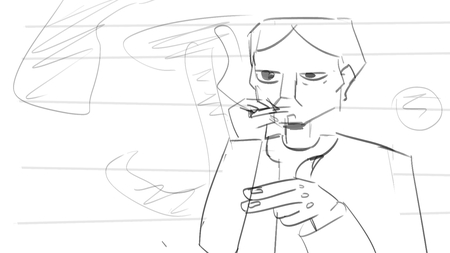
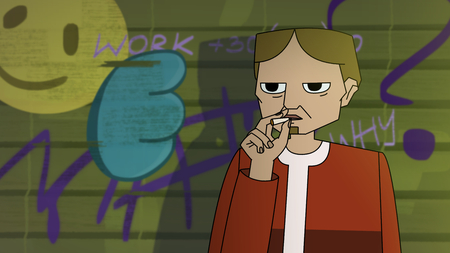
Sketch and final frame from the animation
2. Short Animation: «5 Timing Mistakes»
Format: 5 animated GIFs of a single character demonstrating different errors + textPost Text:
Mistake 1. Everything moves at the same speed.
Solution: Add pauses and accelerations—the movement will become dynamic.Mistake 2. Too much movement.
Solution: Leave only one key accent movement.Mistake 3. No setup for the action.
Solution: Show a preparatory movement/inhale before the main action.Mistake 4. Linear animation without arcs.
Solution: Check the trajectories.Mistake 5. No testing on a small screen.
Solution: Watch the video in Story size—weak points are immediately visible.
Example frame detailing the errors
3. Text + Screenshots: Tool Overview
Format: 3 interface screenshots + textPost Text:
What I use for drawing and animating:
1. [Program 1] — for sketches and storyboards. Pro: Fast. Con: Not ideal for final animation.
2. [Program 2] — for animation. Pro: Timing and curves. Con: High learning curve.
3. [Program 3] — for final assembly. Pro: Stability. Con: Cost.
In the comments, let me know which program you’d like a full review of.
Program screenshot example
4. Case Study: Promotional Video Format: Final video + script Post Text: I worked with the client, and this amazing video came out. Want to see the development process?
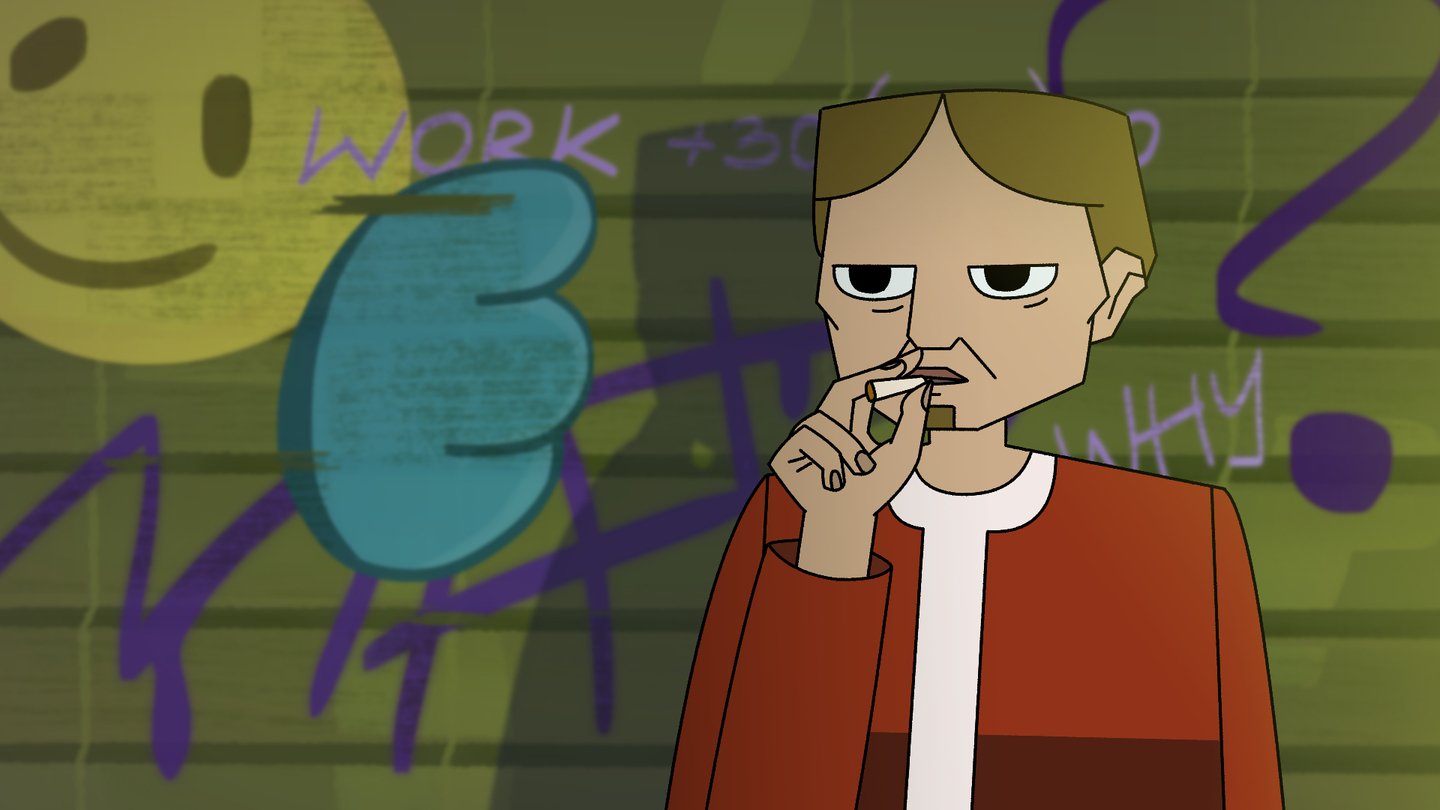
Example frame from an animation reel
5. Poll + Challenge
Format: Text + inspiring image
Post Text:
I’m launching the «Sketch of the Day» challenge: 7 days — 7 quick sketches in 15 minutes.
The theme for the first day is «a character in motion.»
Post your sketches with the hashtag #[hashtag] — I’ll review the best ones on Sunday.
Vote: should I review the work publicly or privately?
6. Frame Analysis
Format: A frame from your favorite film or animation + its descriptionPost Text:
Why this frame works: The contrast between light and shadow guides the eye to the character. The diagonal composition creates tension. There is only one color accent—it doesn’t distract from the focus. I’ve already incorporated this technique into my project. What do you notice in this frame?
7. A snippet of an illustration I am currently working on Format: image + text
Post text: I’m currently drawing a new illustration—what do you think it will be about?
Illustration example
8. Tool of the Day
Format: Image featuring a large screenshot of a brush and an example strokePost text:
This is my favorite brush for sketches—[brush name]. It provides a vibrant texture and doesn’t require many layers. I’m showing three examples: line, fill, and detail. Let me know in the comments which brush you use most often. Tomorrow, I’ll break down the most popular one.
9. Order History
Format: Text PostPost Text:
My first commercial animation job ended in failure. I took the project without clarifying the timeline or presenting a storyboard. As a result, the client was waiting, I was stressed, and nobody was happy with the outcome. The lesson I took away forever: first the brief and the storyboard, then the work. Now I show every stage, and that saves me from 90% of problems. Have you ever been in situations like this? Tell us in the comments—we’ll analyze it together.
10. Reference Selection: «5 Frames That Teach Composition»
Format: 5 images (frames from films/animation) + a brief description for eachPost Text:
I’ve compiled 5 frames that I often pull up when I get stuck on composition.
[Film/Animation] — a diagonal line guides the eye toward the character.
[Film/Animation] — the rule of thirds in action.
[Film/Animation] — contrast of light and shadow.
[Film/Animation] — a color accent highlighting the main subject.
[Film/Animation] — depth achieved through the foreground.
Save this collection to use as a cheat sheet. What frames inspire you?