1. Рекламная визуализация в Houdini и Redshift
Базовый уровень
Creating promotional CG videos using Redshift and Houdini.
What is the course about?
Advertising becomes more complex and vibrant every year. Beyond just selling a product, companies are also selling experiences. To stand out and be memorable amid competitors, brands aim to create visually striking videos and increasingly incorporate 3D graphics.
Many advertising CG studios predominantly use Houdini as their primary program for assembling complete scenes—models, visual effects, lighting, and materials. To achieve the final rendered image of the completed work—the render—time is required, which is often limited in the advertising industry.
Therefore, studios utilize the Redshift render engine. It is currently one of the most flexible and fast engines available.
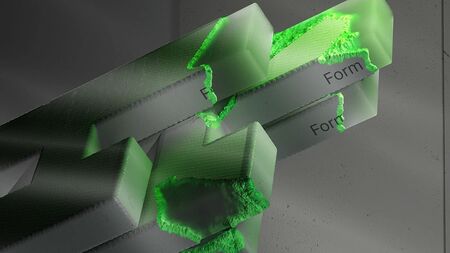
Within this foundational course, students will learn how to work in Redshift, beginning with the fundamentals: setting up cameras, lighting, various materials, and render optimization. The culmination of the course work will be a showreel showcasing the assignments completed during the training.
Who is this course for?
This course is for:🟂 Students and artists in CG graphics who wish to master lookdev techniques using the Redshift rendering engine.
Those looking to deepen their knowledge of artistic expression and graphics optimization.
Look Development (or LookDev) is the stage in creating three-dimensional graphics where the visual style of the scene is determined and configured through manipulating light and materials.
Course Duration: 4 weeks.
Total Contact Hours: 32 academic hours.
Classes are held in an online format.
Course Prerequisites.
Basic proficiency in the Houdini program.
Computer Hardware Requirements:
🟂 Graphics Card RTX 2060 or higher 🟂 AMD Processor with 12 cores or more 🟂 16 GB RAM or more
What will students learn in this course?
Throughout this course, students will learn to:🟂 Configure the camera for specific shot requirements: selecting the type, managing parameters, animating, and connecting recorded tracks🟂 Recreate lighting setups based on references🟂 Work with basic and artistic light sources, utilize Gobos and IES profiles🟂 Create realistic lighting for a prepared background🟂 Optimize light sources within a scene🟂 Build PBR materials from scratch: connecting textures, working with utilities and masks🟂 Use mathematical nodes to construct complex shaders🟂 Create intricate metallic and refractive materials🟂 Set up Subsurface Scattering (SSS)🟂 Stylize shaders🟂 Assemble multi-layered materials🟂 Configure rendering settings🟂 Output exr images🟂 Optimize render time
What practical assignments will the course participants complete?
During the course, students will complete the following assignments:🟂 Scene creation based on reference🟂 Lighting for the captured shot🟂 Creation of procedural materials🟂 Scene stylization using materials and composition🟂 Camera setup and animation for a specific shot🟂 Importing and attaching a track to the scene🟂 Light setup based on reference🟂 Lighting for the captured background🟂 Material creation from reference with texture integration🟂 Material assembly from basic nodes without pre-made textures🟂 Working with utilities and masks in the shader🟂 Creating a complex metallic material🟂 Creating a refractive material (glass, water)🟂 Setting up SSS🟂 Creating a stylized shader🟂 Assembling a multi-layered material🟂 Rendering the created scene🟂 Exporting EXR images🟂 Optimizing rendering time
Thematic Lesson Plan
CAMERA🟂 Camera Views
🟂 Basic Camera Settings
🟂 Focus and Depth of Field
🟂 Camera Animation
🟂 Track LoadingLIGHTING🟂 Light Types and Applications
🟂 Basic Lighting Settings
🟂 Spot Lighting: Gobo and IES
🟂 Artistic Qualities of Commercial Lighting
🟂 Realistic Lighting Matching the Background
🟂 Optimizing Light SourcesSHADING🟂 Material Components
🟂 Material Types and Applications
🟂 PBR Material Settings and Texture Connection
🟂 Creating Materials from Base Nodes
🟂 Utilities and Masks
🟂 Mathematical Nodes
🟂 Configuring Multi-Layered Materials
🟂 Metallic Material Features
🟂 Refractive Materials
🟂 Subsurface Scattering: SSS
🟂 Shading for Fire and Smoke Simulations
🟂 Stylized ShadersRENDER🟂 Basic Settings
🟂 Image Output Parameters
🟂 Rendering Separation by Passes (AOV)
🟂 OptimizationSHOWREEL🟂 Project Organization
🟂 Assembling All Shots
🟂 Sound Design and Music
🟂 Editing
🟂 Basic Compositing